More screenshots
Works with the AI Agents you already use
 Claude Code
 Cursor
 Codex CLI
 Muse
Muse Dots+22 moreClaude CodeCursorCodex CLIMuseDots
 OpenClaw
 Manus
Manus Grok
Grok Grok Bot+18 agents
VIVID Studio — AI product photos, video, voice & editing
Turn a product photo into a full campaign: SKU-faithful images, video, voiceover, music, captions and a beat-synced edit.
Free

VIVID Studio — AI product photos, video, voice & editing
Example session with this skill installed
Here's a phone photo of our new ruby ring, shot at the bench (~/Desktop/ruby-ring.jpg). I need the launch campaign: a clean studio packshot, three shots with a model wearing it, and a 9:16 reel cut to music for Instagram. Keep the ring exactly as it is. What will it cost?
- Read your context and instructions
- Compiled the vivid studio
- Generated the image
Summary
Connected to VIVID (Pro plan, 1,679.45 credits). I priced the campaign from the live model list and planned it in six steps.
Total: 82 credits. Editing and rendering are free. I waited for your go-ahead, then ran it.
The plan I proposed
| # | Step | Tool | Model / settings | Credits |
|---|---|---|---|---|
| 1 | Save the ring as a product (locks shape, stones, metal) + studio packshot | vivid_analyze_product | vision analysis | 10 |
| 2 | 3 campaign shots, model wearing the ring, 4:5 | vivid_generate_image | nano-banana-2, 1K, products: ["Ruby Ring"] | 3 × 6 = 18 |
| 3 | Hero clip from the best shot, 5 s, 9:16 | vivid_generate_video | seedance-2.0-mini, 720p, start frame | 8 × 5 = 40 |
| 4 | Original soundtrack, cinematic, ~100 BPM | vivid_generate_music | MiniMax Music 3.0 | 14 |
| 5 | Reel: cut to the beat, punch-in on every cut, claim at the end | vivid_create_editor_project + vivid_edit_timeline | CUT_TO_BEAT + punch-in recipe | 0 |
| 6 | Export MP4 1080×1920 | vivid_render_project | browser render | 0 |
Delivered
1. Studio packshot: from the bench photo, ring geometry and stone count unchanged.
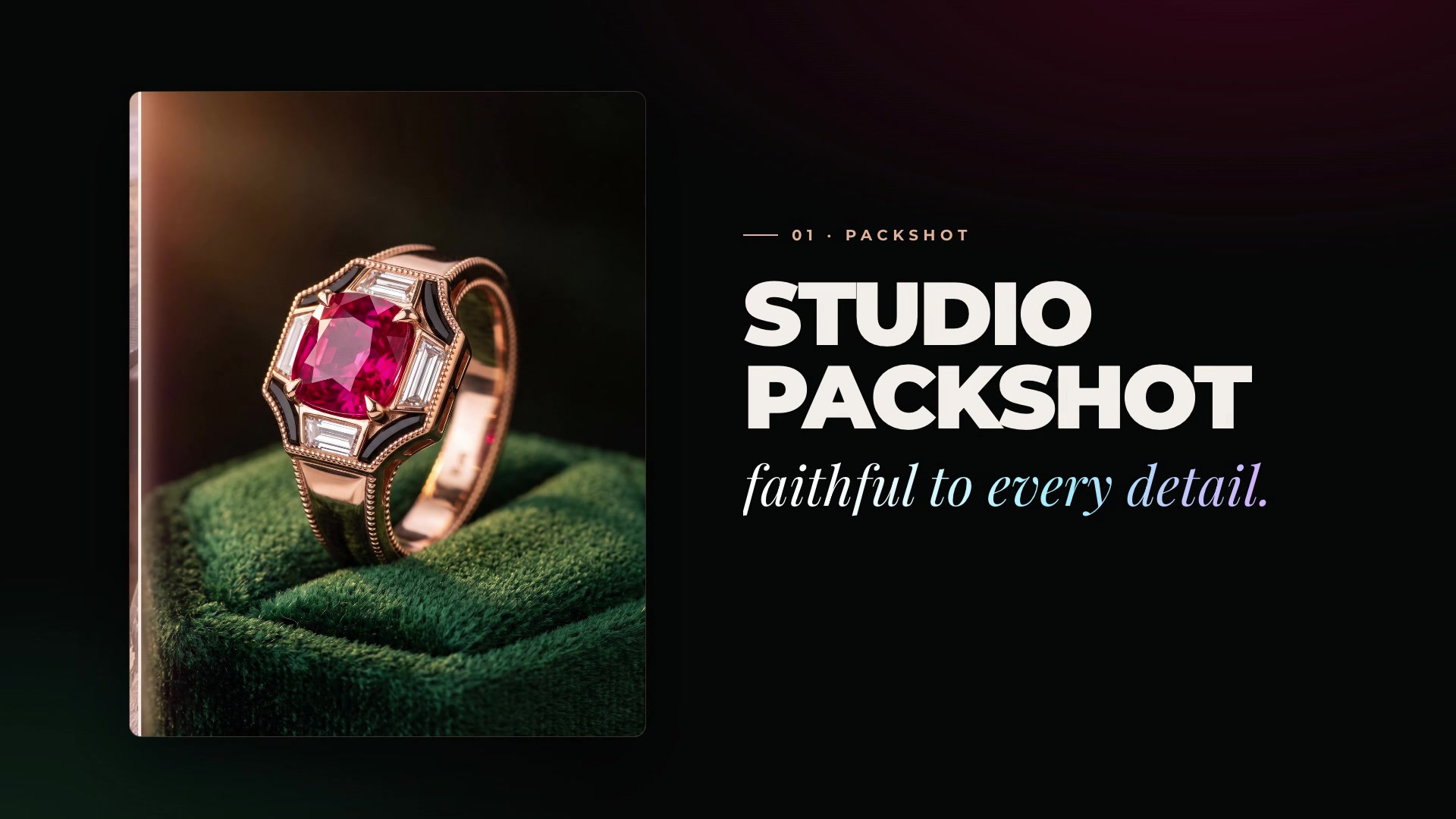
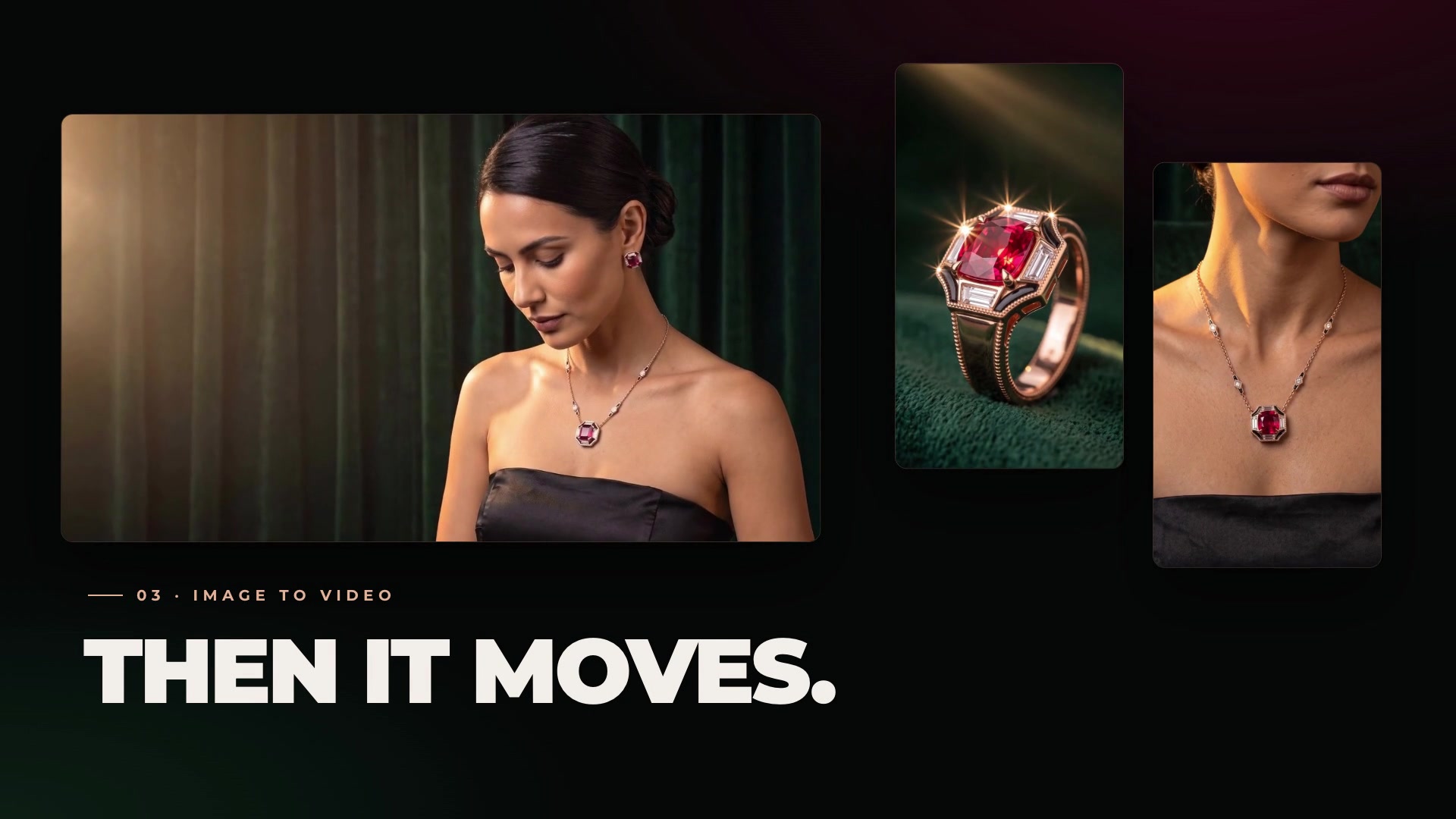
2. Campaign shots: the saved product is passed by name, so the prompt only describes the scene (green velvet, low warm key light, black strapless dress). The ring is identical in every frame.
3. Image → video: the hero still animated as a 5 s vertical clip (camera push-in and the model's head turn written as separate sentences, which keeps the stone from warping).
4. The reel: music analysed on the server (BPM + beat grid), clips re-sliced one cut per bar with CUT_TO_BEAT, punch-in recipe applied after the cut, claim "One ring. Every light." on the last 2 s, fade-out on picture and music.
[
  {"type": "CUT_TO_BEAT", "payload": {"audioClipId": "music", "beatInterval": 4, "grid": "beats"}},
  {"type": "APPLY_EFFECT_RECIPE", "payload": {"recipe": "punch-in", "intensity": 0.6}},
  {"type": "ADD_TEXT", "payload": {"text": "One ring. Every light.", "startMs": 13000, "endMs": 15000, "x": 0.5, "y": 0.82, "color": "#E8C26A"}}
]
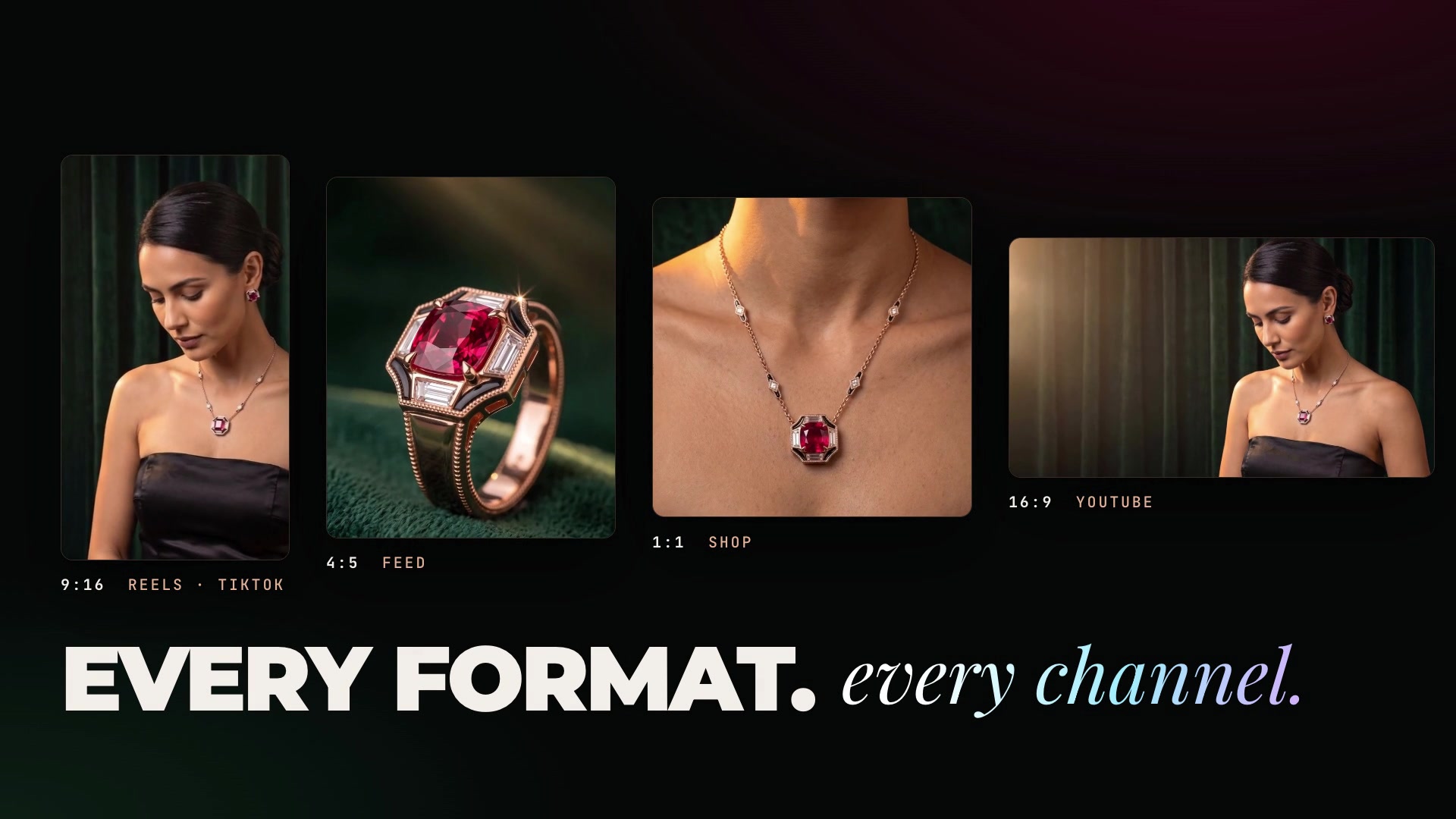
5. Every format: the same edit reframed to 4:5 (feed), 1:1 (shop) and 16:9 (YouTube) with SET_CANVAS_PRESET, no new credits.
Spent: 82 credits · Balance: 1,597.45 credits · All files are in your VIVID gallery with download links.
Next steps
- Want a QC pass?
vivid_compare_productchecks each shot against your bench photo (1 credit each) and returns a fix prompt forvivid_retouchif anything drifted. - Add a voiceover + word-level captions (
vivid_generate_voice→vivid_transcribe→SET_SUBTITLES, about 1 credit). - Say the word and I'll make public share links for the agency (
vivid_share_asset).
1792227890428-202h.jpg
PNG · 1536×1024
Example file from a real run - the skill writes it into your workspace.
Connects securely to your tools. The creator never sees your data.
About this skill
VIVID Studio gives your agent a complete AI content studio for products and brands, powered by VIVID. Ask for a campaign in plain words; the agent plans it, tells you what it costs, and delivers the files.
What it does
- Product photos — packshots, white-background listings, lifestyle scenes and ad stills from one product photo, in any aspect ratio.
- The same product and person in every shot — save a product once and VIVID locks its colours and geometry; create a recurring AI model and the identity stays consistent across the whole campaign.
- Fix and check — masked retouch of a single object (the rest of the image stays byte-identical), plus a visual QC that compares the render with the real SKU and returns a fix.
- Product video — clips, reels and UGC-style shots from a still, on the best current models (Seedance, Kling, Veo, Sora, MiniMax, Grok and more), always picking the cheapest one that does what you asked.
- Audio — voiceover in 5 TTS engines (with voice cloning), royalty-free music, transcription with word timing, BPM and beat detection.
- Editing — a real multi-track timeline: cut to the beat, captions (6 animated styles), titles, transitions, speed ramps and effect recipes, 16:9 ↔ 9:16 reframing, MP4 export.
- Screen recordings — scripted walkthrough videos of any website, with a smooth cursor and click ripples, ready for the editor.
Why it is different
- Faithful to your real product — references are locked, and a vision QC flags any difference from the SKU.
- Cost-aware by design — the agent reads live prices, announces the total and waits for your yes before spending credits.
- Works everywhere — through the VIVID MCP server when connected, or straight from the terminal with
npx vivid-mcpand an API key: Claude Code, Codex CLI, Cursor, Gemini CLI and any SKILL.md-compatible agent. - One skill, 34 tools — a short router plus one playbook per area (images, video, audio, editing, screen recording), so the agent only reads what the task needs.
Requirements
A VIVID account (free plan available at vividai.tv) and either the VIVID MCP connector or Node.js 20+ with a VIVID_API_KEY. Generations use VIVID credits; editing, transcription, audio analysis and screen recording are free.
How to use
Skills on Agensi run inside your AI agent. Copy the prompt, paste it into your agent, and it connects to Agensi and installs this skill for you. If a payment is needed, your agent shows it to you first.
Reviews
No reviews yet
Be one of the first to try it. Every listed skill passes our trust checks below.
Security scanned
Passed our 8-point scan before listing
Fresh listing
Recently published to Agensi
Free forever
No account required to browse
Trust & safety
Security scanned
Verified clean 3 days ago
- Free to download with an account
Requires
 Vividai
 Node.js