Use Agensi skills in Claude, ChatGPT and more
Connect once, about a minute. Then ask for any skill by name.
Connect your agent in one step
Copy this prompt and paste it into your agent — it will set up Agensi for you and explain any step you still need to take.
Not working? Follow the step-by-step guide for your app below.
- 1
Open Claude's connectors
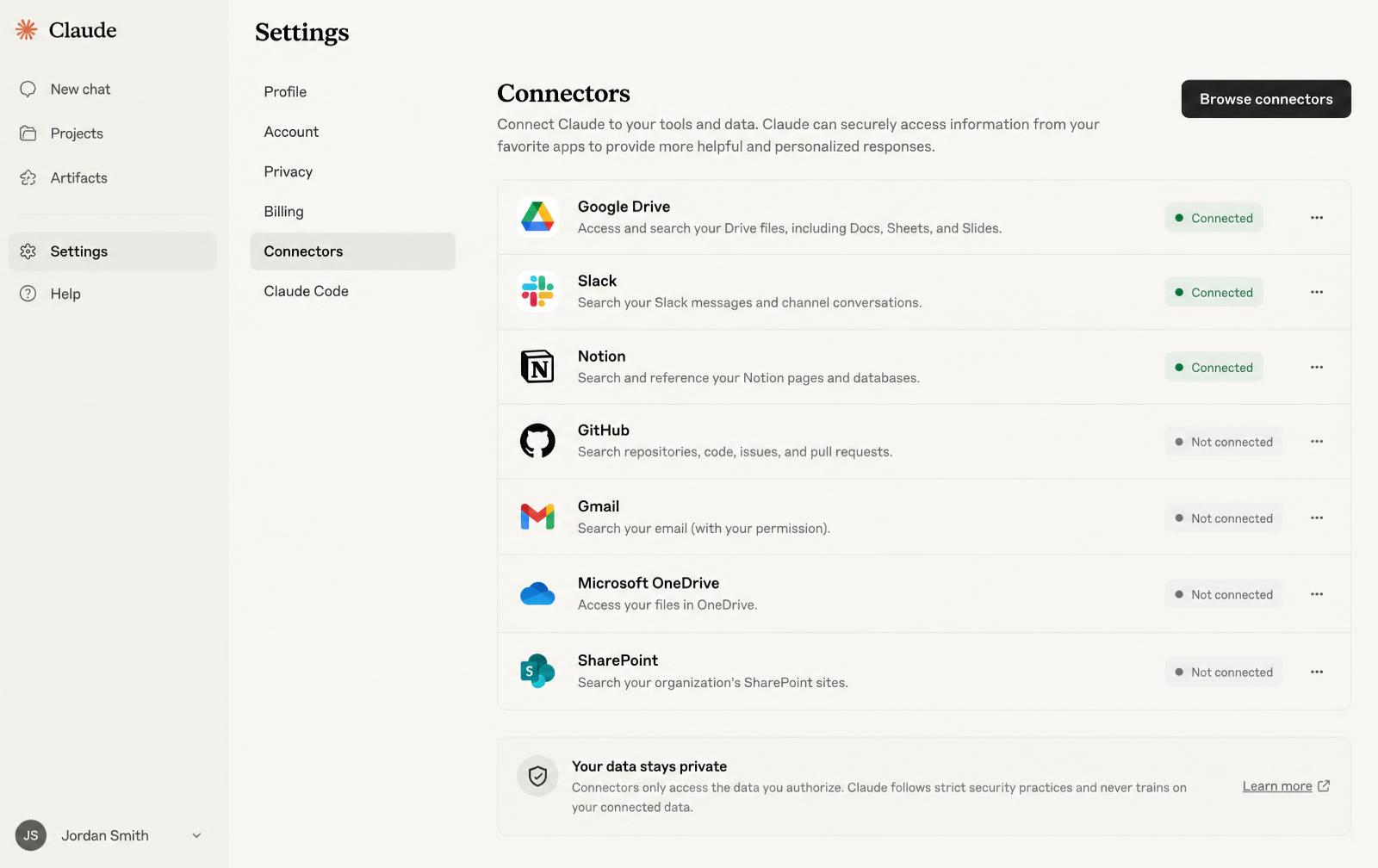
- 2
Click Browse connectors, search Agensi, click Connect
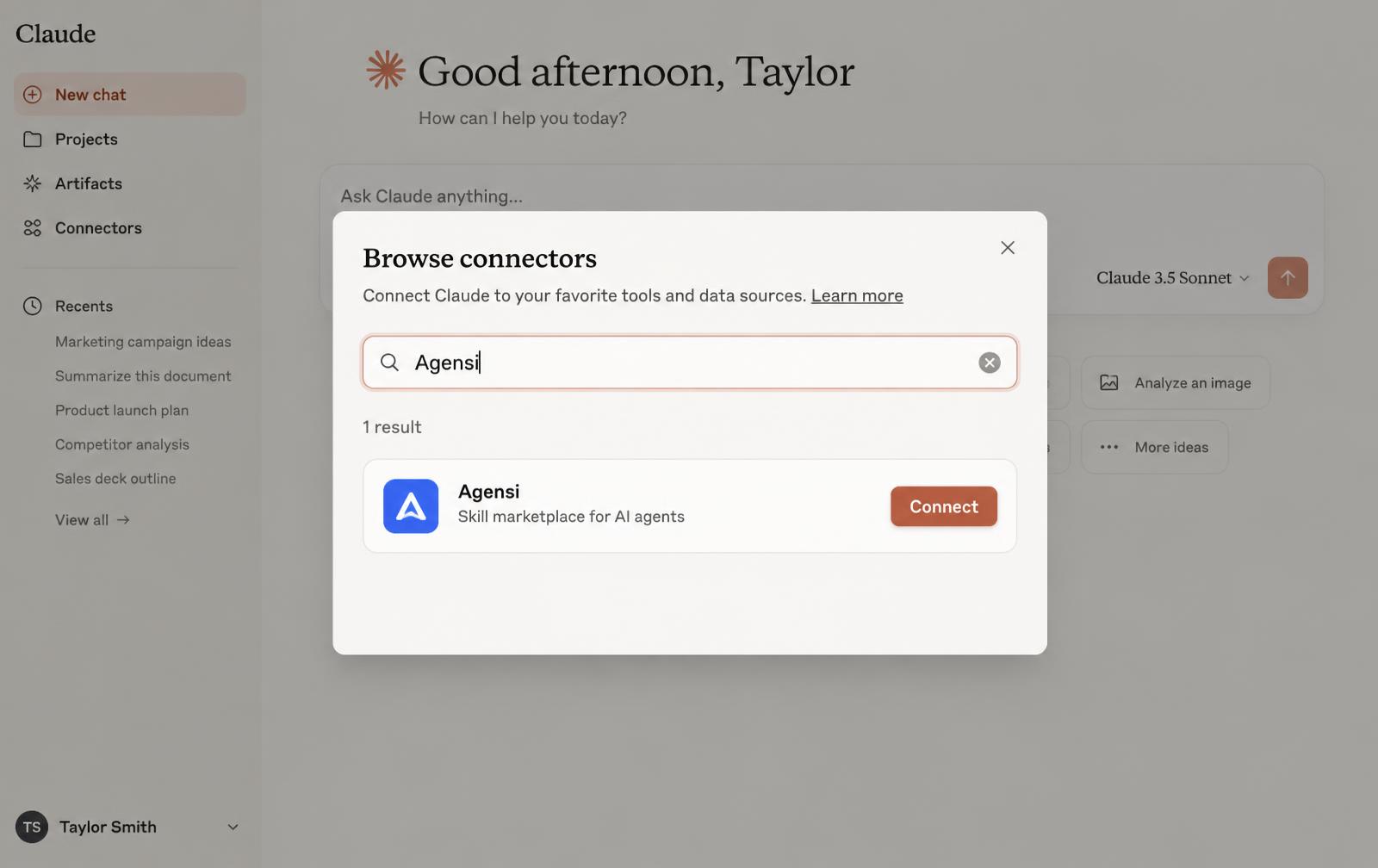
- 3
Sign in to Agensi and click Allow. Use the same account you bought with.
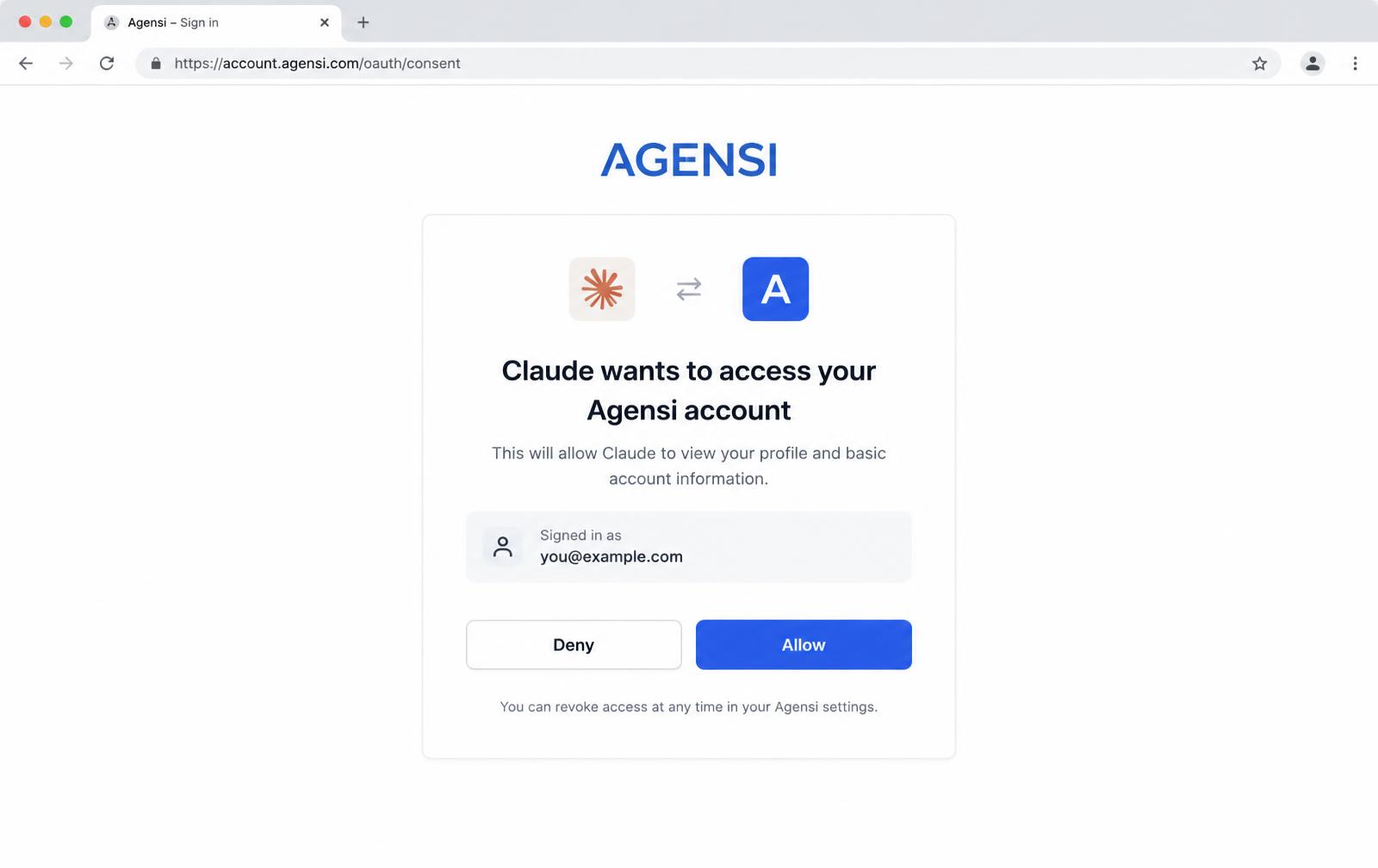
- 4
Ask Claude to use your skill
Use my Agensi skill "<skill name>" and ask me what you need to get started.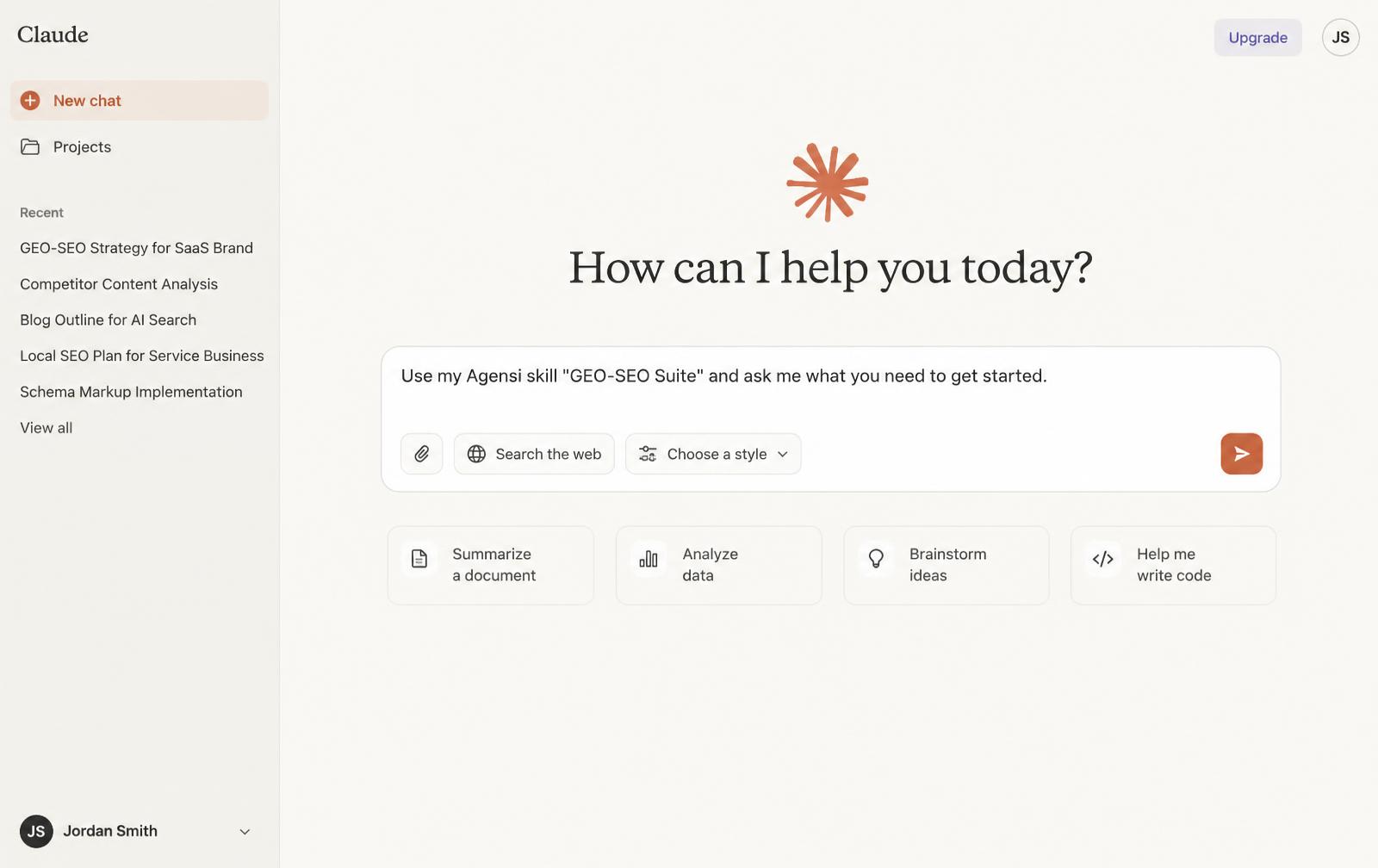
It worked if you ask "Which Agensi skills do I own?" and Claude lists them.
Not working?
- Signed in with another account? Disconnect Agensi in Claude and connect again with the account you bought with.
- You can connect one app per account. Connecting a new app disconnects the old one.
- Agensi is connected but your skill doesn't load? Start a new chat.