More screenshots
Works with the AI Agents you already use
 Claude Code
 Cursor
 Codex CLI
 Muse
Muse Dots+22 moreClaude CodeCursorCodex CLIMuseDots
 OpenClaw
 Manus
Manus Grok
Grok Grok Bot+18 agents
Sharp Pen
Proofreads your draft in any language and hands back a clickable review page where you accept each suggestion yourself, with your tone and meaning untouched.
Free

sharp-pen
Example session with this skill installed
Please review this draft of my blog post: "The project was a success because of the team. We all worked hard, and we finished early. Their is a lot of room for growth tho."
- Read your context and instructions
- Compiled the sharp-pen
Reviewed in English (US). Your review page is ready:
http://127.0.0.1:8765/sharp-pen-review.html
Your draft is on the left, untouched. Suggestions are on the right; click a highlight to accept it, or open the dropdown where more than one phrasing fits. Nothing is applied until you click.
Level 1 (spelling and grammar): 8 suggestions
Level 2 (sentence construction): 2 suggestions
One I wasn't sure about: "the past weeks" could be "the past few weeks" or "these past weeks". Both are in the dropdown.
Connects securely to your tools. The creator never sees your data.
About this skill
Proofreading that keeps your voice
Ask a general assistant to proofread and it rewrites you: it smooths the voice, drops a hedge you meant, and quietly changes a claim. Then it hands back one version, take it or leave it.
sharp-pen is a careful copy editor instead. It fixes what is wrong and leaves everything else alone. Hand it a draft and it returns a review page: your text on the left, suggestions on the right, every difference clickable. Accept a change with one click. Where more than one phrasing fits, pick from a dropdown. Nothing is applied until you say so.
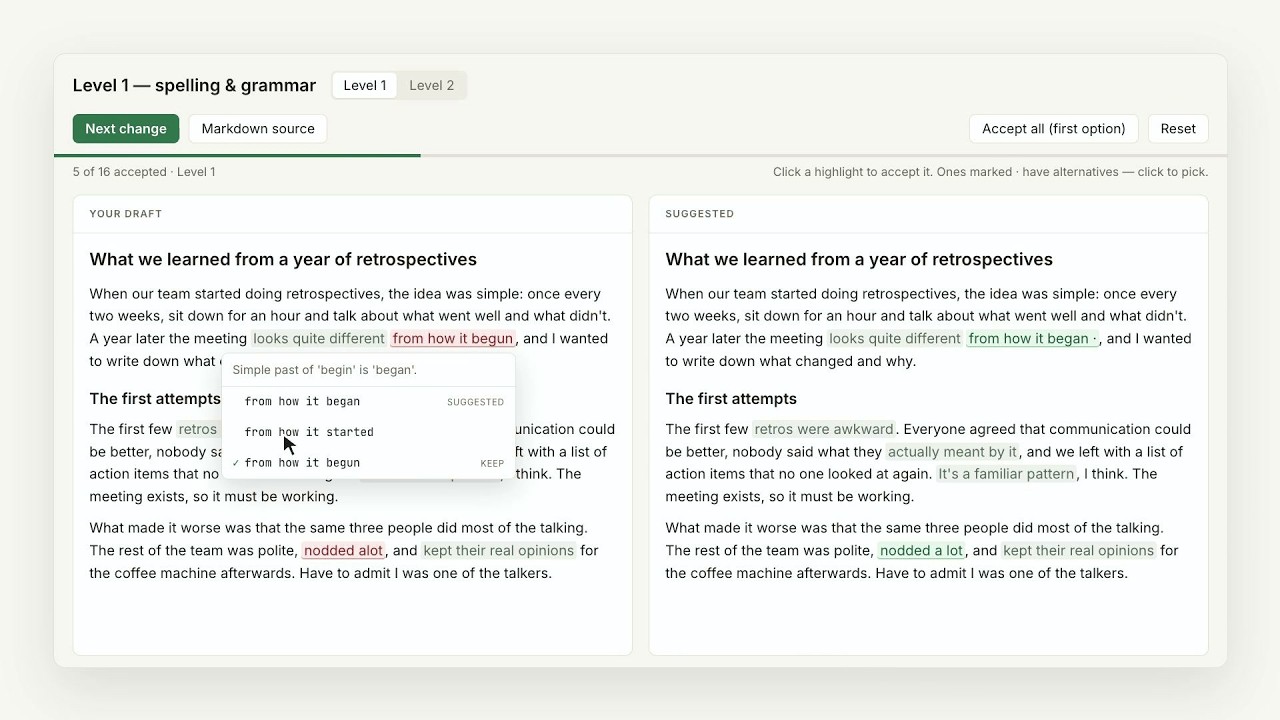
Two passes, toggled in the page
- Level 1, spelling and grammar. Typos, agreement, prepositions, missing articles, homophones, comma splices.
- Level 2, sentence construction. Fragments, broken parallelism, buried points, sentences that trail off. One entry per sentence.
The left pane is always your text, byte for byte. The skill suggests form, not substance: it never changes what a sentence claims, strips a hedge, or makes casual prose corporate.
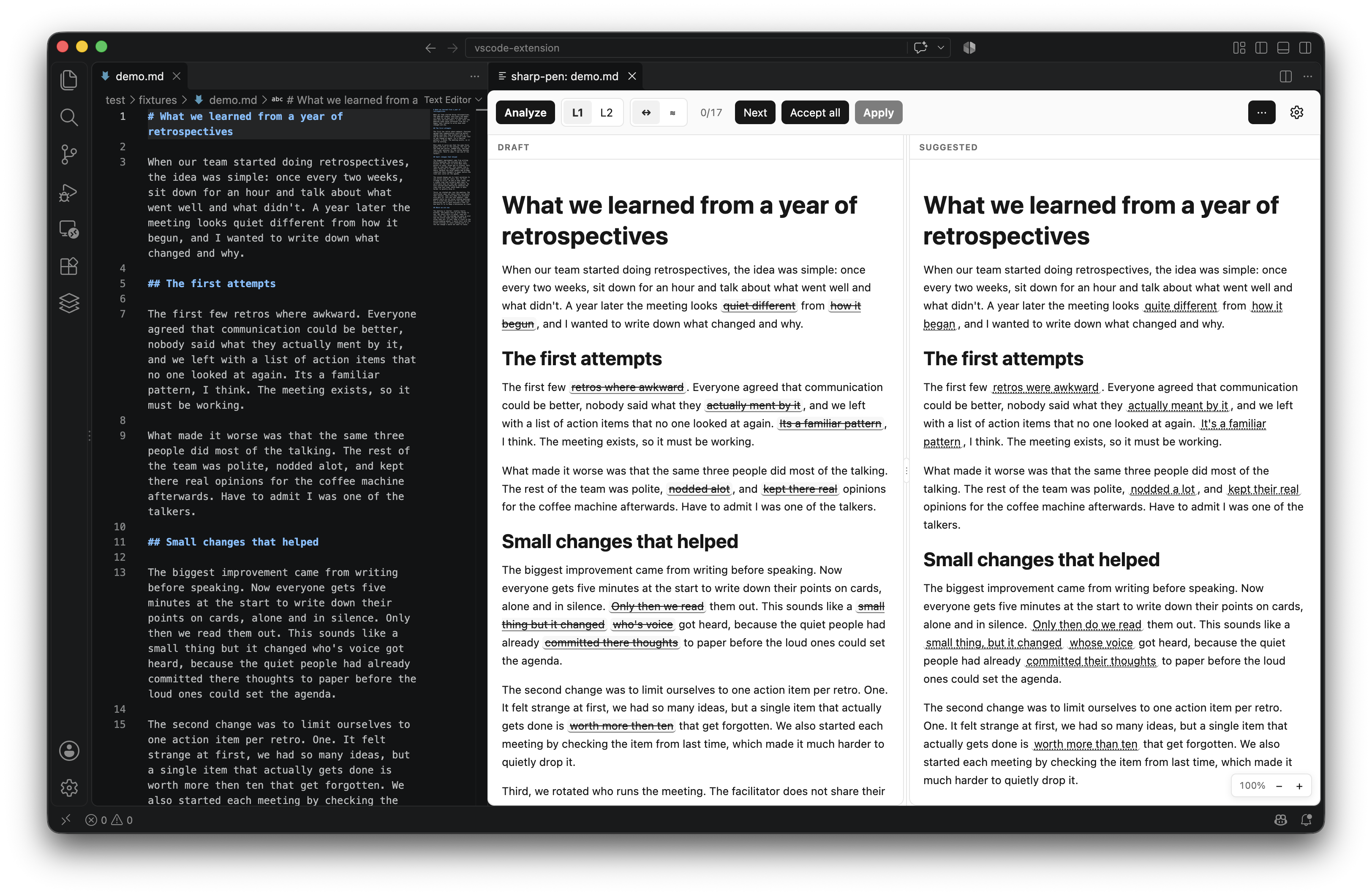
Any language, no setup
sharp-pen works in every language your model supports. It detects the language from the text, reviews by that language's own rules, keeps your spelling variant (US or UK English, Brazilian or European Portuguese), writes its notes in that language, and never translates. Mixed-language drafts are reviewed passage by passage. Documents up to 1,000,000 characters are handled in sections.
Works where you write
Packaged as an agent skill: a folder with instructions and two small Python scripts. Runs in Claude (web, desktop, Cowork, Claude Code), ChatGPT desktop, Codex, Copilot CLI and any client that reads the skill format. Also available as a VS Code extension for Markdown and plain-text files.
Try it first
The live demo is a 400-word blog draft already reviewed by sharp-pen. Toggle levels, click highlights, open a dropdown, download the result. No install needed.
- Source and install guide: https://github.com/Nobbettt/sharp-pen
- Download the skill: https://github.com/Nobbettt/sharp-pen/releases/latest/download/sharp-pen-latest.zip
- Privacy: https://github.com/Nobbettt/sharp-pen/blob/main/PRIVACY.md
How to use
Skills on Agensi run inside your AI agent. Copy the prompt, paste it into your agent, and it connects to Agensi and installs this skill for you. If a payment is needed, your agent shows it to you first.
Reviews
No reviews yet
Be one of the first to try it. Every listed skill passes our trust checks below.
Security scanned
Passed our 8-point scan before listing
Fresh listing
Recently published to Agensi
Free forever
No account required to browse
Trust & safety
Security scanned
Verified clean 10 days ago
- Free to download with an account