More screenshots
Works with the AI Agents you already use
 Claude Code
 Cursor
 Codex CLI
 Muse
Muse Dots+22 moreClaude CodeCursorCodex CLIMuseDots
 OpenClaw
 Manus
Manus Grok
Grok Grok Bot+18 agents
Patio ArtCraft: Creative App Control
One general skill for your AI agent to create, edit and move work across ArtCraft’s creative apps.
$50

Patio ArtCraft: Creative App Control
Example session with this skill installed
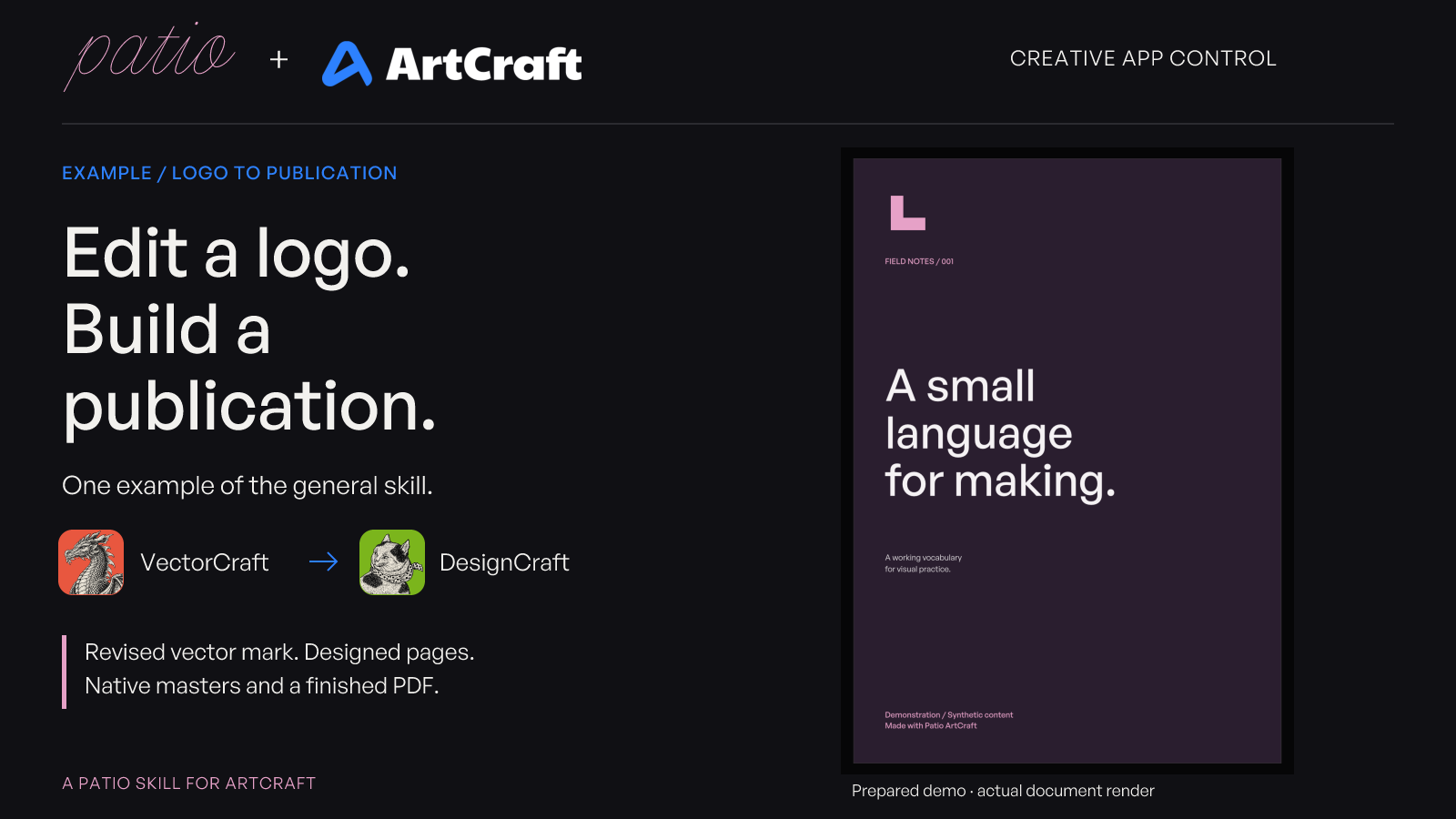
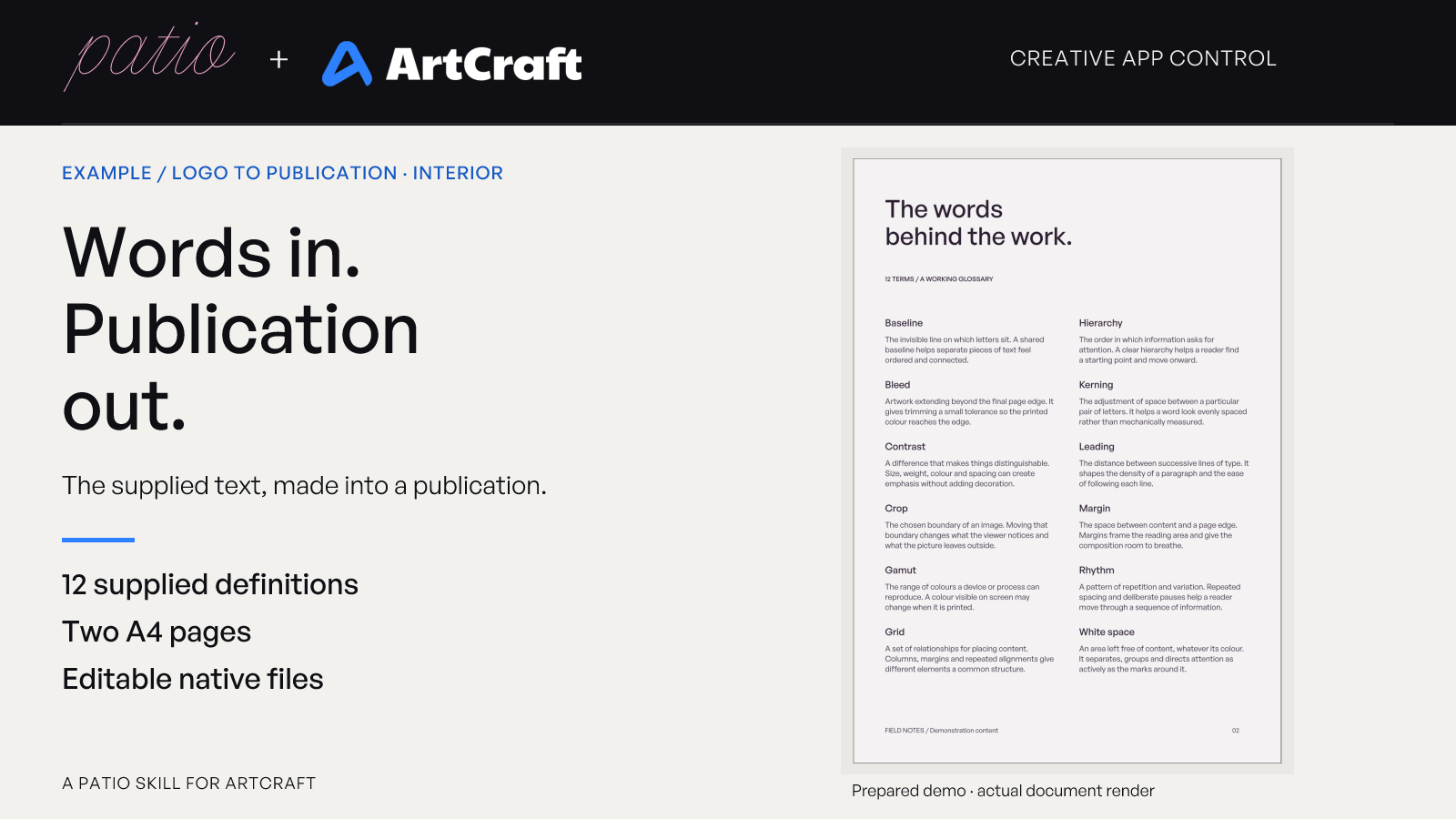
Use Patio ArtCraft to make a two-page A4 glossary from the supplied text and sample SVG logo.
Recolour the logo to Patio pink (#E6A1C7) without changing its geometry. Give the publication a plum cover (#2A1E2F), paper interior (#F5F2F4), and clear, spacious typography. Use General Sans Regular and Medium from the provided, licensed font files. The cover title is “A small language for making.” and the publication name is “Field Notes”.
Keep all twelve glossary entries exactly as supplied. Place an export of the revised logo on the cover. Preserve the original source files, save editable VectorCraft and DesignCraft masters, and export the revised logo as SVG and PNG plus the complete publication as PDF. Render both pages for inspection and give me a concise hand-off with the checks and any exchange-format limitations. Label it as a demonstration with synthetic content.
- Read your context and instructions
- Compiled the patio artcraft
- Generated the UI component
Example: logo to publication
One demonstrated use of Patio ArtCraft’s general workflow, using VectorCraft and DesignCraft.
I recoloured the supplied sample logo to Patio pink and used its export on the cover of a two-page A4 glossary. The cover uses plum, the interior uses paper, and General Sans Regular and Medium provide the type hierarchy. All twelve supplied entries are retained exactly.
This is a prepared demonstration with synthetic content, made through the official VectorCraft 0.9.0 and DesignCraft 0.6.0 MCP tools.
| Deliverable | File |
|---|---|
| Editable vector logo | field-notes-logo-revB.vectorcraft |
| Vector logo export | field-notes-logo-revB.svg |
| Transparent logo image for placement | field-notes-logo-revB.png |
| Editable two-page publication | field-notes.designcraft |
| Complete PDF proof | field-notes.pdf |
| Complete page renders | page-1.png, page-2.png |
The files are saved in the demo job's out/ folder. The page renders show the complete cover and glossary interior; the PDF contains both pages.
Example pages · Patio + ArtCraft
Actual document renders, shown within branded presentation layouts.
Checks completed
- The original text and SVG source files are unchanged.
- The pink recolour remains after reopening the native vector file.
- The publication reopens in DesignCraft with all twelve terms and definitions intact.
- The complete definitions are present in the exported PDF.
- No text stories report overflow.
- Both General Sans faces resolve from the document's supplied fonts without missing-face warnings.
- Both exported pages were visually inspected, including the cover logo's position and the glossary's column layout.
The logo is placed as a PNG. That instance is a raster image, while the separate VectorCraft master and SVG preserve the vector artwork. The document and exports are a design proof; this demo does not claim a press-specific colour or production check.
Next steps
Open the DesignCraft master to revise the typography or page layout, or use the PDF to review the complete proof. For a further logo change, edit the vector master, export a new placement image and update that asset in the publication.
field-notes-logo-revB.png
TSX · React component
Example file from a real run - the skill writes it into your workspace.
Connects securely to your tools. The creator never sees your data.
About this skill
Give your AI agent a reusable way to create, edit and move work across ArtCraft's creative apps: graphics and photography, publishing, video and motion, interface design, writing, audio, presentations, CAD and spreadsheets.
Patio ArtCraft is a general workflow skill for an MCP-capable agent. Start with your brief and supplied files. The agent discovers commands exposed by your connected apps, consults the official documentation, creates or edits the work, then checks the result and delivers editable native files with the requested exports. It uses the available app capabilities directly, so each new task does not need a dedicated recipe or script.
For work across apps, it keeps the native masters, chooses a compatible exchange format, checks the asset after import or placement, and records any conversion loss. It also guides the agent to preserve your source content, use project folders and revisions, inspect rendered results and report checks with the deliverables.
The package includes a general skill, an official-documentation directory for thirteen Crafting Apps, additional VectorCraft and DesignCraft notes, scoped verification evidence, and optional Python tools for pinned setup and repeatable jobs. Supporting files and scripts require a host that makes those files available; the main instructions also describe the direct-tool route for instruction-only delivery.
Coverage and verification: the directory covers thirteen apps' official automation documentation. Local creative workflow evidence is strongest for VectorCraft and DesignCraft; earlier PhotoCraft checks cover specific image operations, export/reopen and file boundaries. This is not verification of every app, operation, operating system or agent host. Available operations depend on the connected app and installed version.
One example: logo to publication. The prepared demonstration edits a sample vector mark and places an export into a two-page DesignCraft glossary. It illustrates one use of the general skill. Earlier verification also imported eighty synthetic entries using native autoflow and checked the full text after native reopen and PDF export.
You are buying the workflow instructions and supporting materials. You need a compatible AI agent and the official CLI/MCP server for each app you intend to use. A matching desktop app is needed for live sessions. The ArtCraft apps, model access and MCP connections are separate prerequisites. Patio's optional pinned setup tools currently target macOS with Python 3.10+.
Patio's materials are supplied under the included MIT licence. This is an independent Patio workflow skill, not an ArtCraft product or an endorsement by the ArtCraft team.
What's included (3 skills)
patio-artcraft
Create and edit work across the ArtCraft creative apps using their official MCP tools and documentation. Use for ArtCraft drawing, image editing, publishing, video, motion, audio, UI, documents, presentations, CAD, spreadsheets, or work that passes assets between apps.
patio-designcraft
Create and edit publications in DesignCraft through its official MCP tools, including page layout, typography, text flow and placed artwork. Use for DesignCraft publishing work, live in the app or headless, using the installed version's documented capabilities.
patio-vectorcraft
Create and edit logos, illustrations, vector artwork and technical drawings in VectorCraft through its official MCP tools. Use for VectorCraft work, with additional manufacturing conventions only when the requested output is a cutting file.
How to use
Skills on Agensi run inside your AI agent. Copy the prompt, paste it into your agent, and it connects to Agensi and installs this skill for you. If a payment is needed, your agent shows it to you first.
Reviews
No reviews yet
Be one of the first to try it. Every listed skill passes our trust checks below.
Security scanned
Passed our 8-point scan before listing
Fresh listing
Recently published to Agensi
Money-back guarantee
Doesn't do what its page promises? You get your money back.
Trust & safety
Security scanned
Verified clean 1 day ago
- Passed all security checks, Safe to install
Requires
 macOS
macOS Python