Works with the AI Agents you already use
 Claude Code
 Cursor
 Codex CLI
 DeepSeek
 Muse+22 moreClaude CodeCursorCodex CLIDeepSeekMuse
 Dots
 Manus
 Grok
 Grok Bot+18 agents
Onboarding Pack Builder
Build the first-week pack for a new client: welcome email, kickoff agenda, intake form, access checklist, ways of working and a 30-day plan.
$12

Onboarding Pack Builder
Example session with this skill installed
Build the onboarding pack for a new client. Harbor & Co, coffee subscription, we are doing a brand identity refresh over six weeks. Main contact is Priya Raman, head of marketing. The founder, Tom, signs off. Kickoff is Monday.
- Read your context and instructions
- Compiled the onboarding builder
Worked example. Sample client: Harbor & Co, a coffee subscription brand (fictional).
1. Welcome email
Subject: Welcome aboard — Harbor & Co brand refresh starts Monday
Hi Priya,
Glad to be working together. Here is what happens next:
- Kickoff Monday, 10:00–11:00 (GMT) — agenda below.
- Before then, please complete the intake form: about 15 minutes, covers goals, audience and existing assets.
- Access: I will send a short checklist separately. Most of it is invitations, not passwords.
Tom is copied as the approver. If anything changes before Monday, reply here and I will adjust.
Kior Labs
Brand consultant
[direct contact]
2. Kickoff agenda
| Time | Item | Purpose |
|---|---|---|
| 0–5 | Intros and roles | Priya runs the project, Tom approves |
| 5–15 | The outcome | Restate the goal in your words |
| 15–25 | Success measures | Agree what "done" means for the refresh |
| 25–35 | Scope and boundaries | Walk through what is in and out |
| 35–45 | Plan and dates | First milestone, dependencies, your deadlines |
| 45–55 | Ways of working | Channels, cadence, approvals, change requests |
| 55–60 | Actions | Owners and dates, read back aloud |
3. Intake questionnaire
Goal
- What has to be true in six weeks for this to have been worth the budget?
- What have you tried before, and why did it stop?
Audience
- Who is the subscription for, in their words?
- What do they currently believe about specialty coffee that we need to change?
Assets
- What exists: logo files, packaging, photography, brand guidelines?
- What is missing, and who owns creating it?
Constraints
- Packaging print deadlines we must design around.
- Any claims we cannot make on pack or site.
Approval
- Tom signs off; how many working days does he need?
- How many revision rounds does the team expect? (Proposal says two.)
Measurement
- How will you judge the refresh internally?
- Which channels will show the impact first?
4. Access and asset checklist
- Priya confirmed as day-to-day contact, Tom as approver
- Brand files: logo, fonts, colour values, existing guidelines
- Packaging dielines and printer requirements
- Product photography and any lifestyle library
- Site and social access as invitations or roles
- Print deadline dates
- Shared folder for working files
- Feedback location agreed (one place, not email threads)
No passwords by email. Invitations or shared vault entries only.
5. Ways of working
| Topic | Agreement |
|---|---|
| Primary channel | Email for decisions, shared doc for feedback |
| Response time | Within one business day, GMT |
| Meetings | Weekly, Tuesday 10:00, 30 minutes |
| Feedback | Consolidated in the shared doc, one round per milestone |
| Approval | Tom approves within two business days |
| Changes | Anything outside the proposal becomes a written change request with cost and date impact |
| Reporting | Friday note: done, next, blocked |
6. First 30 days
Week 1: kickoff, intake complete, access granted, audit of current identity.
Week 2: positioning and two visual directions; early review, not a reveal.
Week 3: direction chosen; logo and type refinement.
Week 4: applied to packaging and site; consolidated feedback; scope checked.
Weeks 5–6: final files, guidelines, handover session.
7. Scope restatement
We are doing: positioning, visual direction, logo and type system, packaging application, site application, brand guidelines, two revision rounds.
We are not doing: copywriting, photography, print production management, social content.
We need from you: brand files, dielines, print deadlines, one approver with a two-day turnaround.
If this changes: a written change request with the effect on cost and date.
Please reply "confirmed" to this restatement.
8. Red flags to raise at kickoff
- Tom is not in the room — confirm his approval window and next checkpoint.
- Print deadline is before week 4 — move the packaging milestone or reduce scope.
- No photography planned — decide now whether the refresh launches without it.
- Approval is "the whole team" — ask for one approver and a deadline.
9. Handover
At the end: delivered files, where they live, how to use the guidelines, open items, and a short "what I would do next" list. Ask for a testimonial while the launch is fresh.
Connects securely to your tools. The creator never sees your data.
About this skill
Client onboarding pack: access checklist, kickoff agenda, roles and a 30-day plan, ready to send the day the contract lands.
Use this skill when:
- a new client just signed
- write a kickoff plan
- collect access and assets
- plan the first 30 days
Who it's for: Agencies and freelancers starting a client.
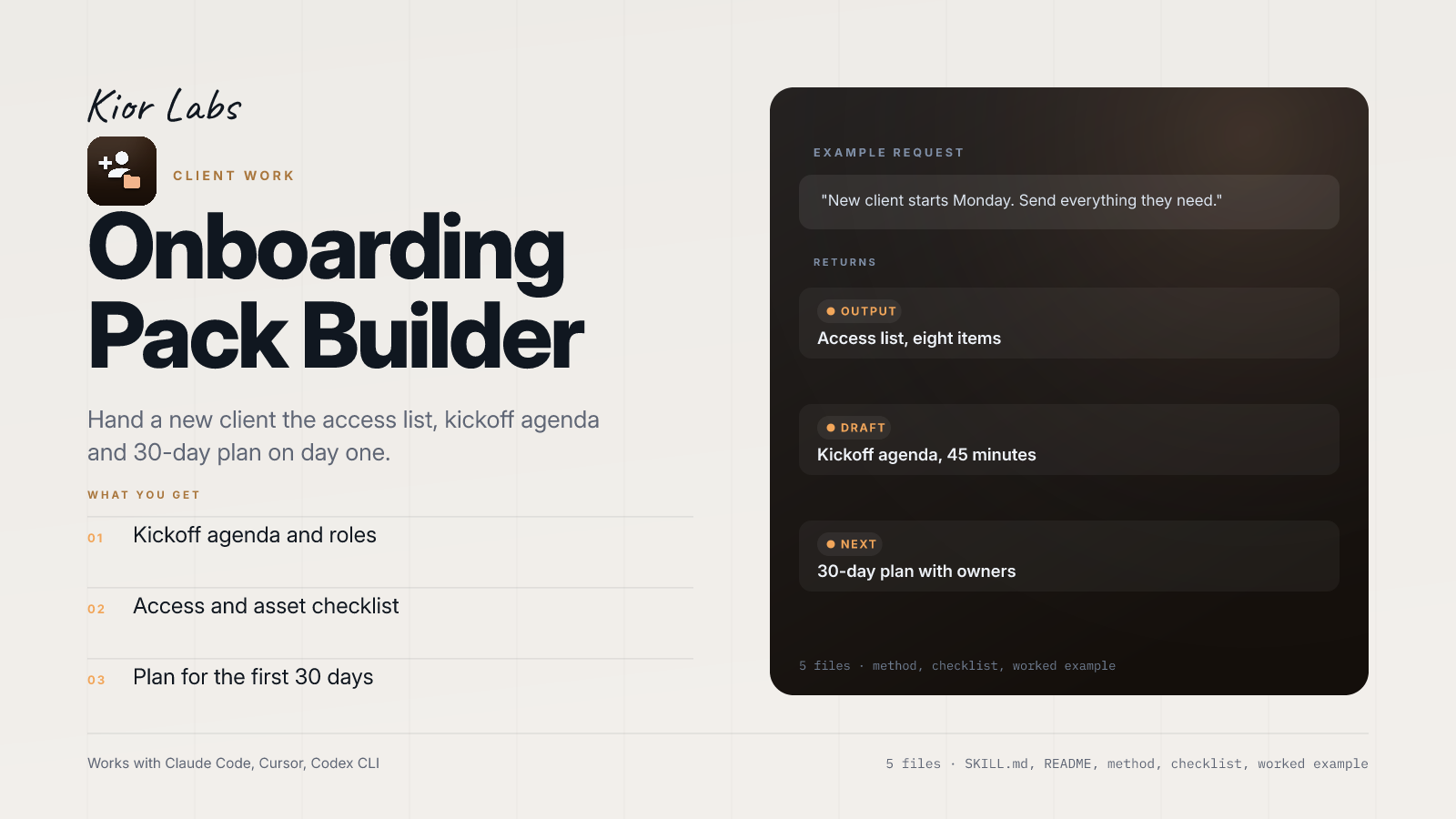
Example request
New client starts Monday. Send everything they need.
What the example returns
- Access list, eight items
- Kickoff agenda, 45 minutes
- 30-day plan with owners
In the package: five files — SKILL.md with the trigger and workflow, README.md, references/METHOD.md (the full method), references/CHECKLIST.md (the pass/fail gate) and examples/EXAMPLE.md (a worked run you can copy).
Works with Claude Code, Cursor, Codex CLI and any agent that reads SKILL.md. Plain markdown: no API key, no account, no network access.
Find more skills like this on the Claude Skills Marketplace, the Codex Skills Marketplace and the Gemini Skills Marketplace, or browse Claude Skills for Business & Operations.
Requires a baseline SOW/proposal. Does not store passwords. Best for one-page artifact formats rather than long-form legal contracts.
How to use
- 1
Connect your agent to the Agensi MCP
Copy the prompt and paste it into Claude, ChatGPT, Cursor or any agent that supports MCP. It sets up the connection for you. Manual setup
- 2
Sign in to Agensi
Your agent shows a sign-in link. Sign in and click Allow.
- 3
Ask for what you need
Your agent loads this skill and uses it on your task. It always asks before buying a skill.
Reviews
No reviews yet
Be one of the first to try it. Every listed skill goes through the trust checks below.
Security scanned
Checked by our 8-point scan before listing
Fresh listing
Recently published to Agensi
Money-back guarantee
Doesn't do what its page promises? You get your money back.
Trust & safety
Security scan
Security scan passed 2 days ago