Works with the AI Agents you already use
 Claude Code
 Cursor
 Codex CLI
 DeepSeek
 Muse+22 moreClaude CodeCursorCodex CLIDeepSeekMuse
 Dots
 Manus
 Grok
 Grok Bot+18 agents
Mobbin × SwiftUI Skills
Research real-world iOS design patterns via Mobbin and implement them as native SwiftUI screens and flows.
$2

Mobbin × SwiftUI Skills
Example session with this skill installed
Use mobbin mcp and browser to research onboarding flows (with animation) for fintess app on Mobbin and generate a SwiftUI implementation for start screen.
- Read your context and instructions
- Compiled the mobbin swiftui
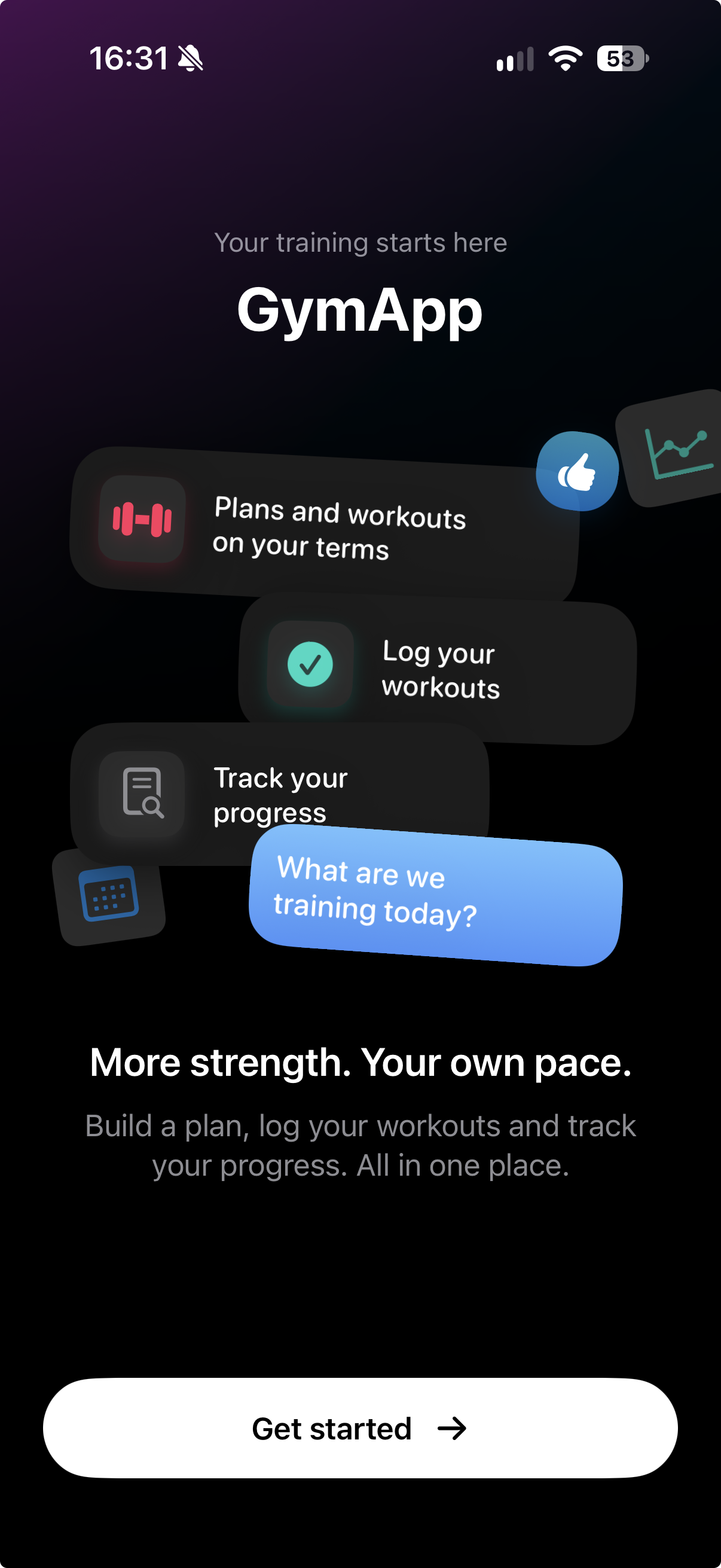
I have researched fitness onboarding flows via Mobbin, focusing on animated welcome screens that introduce workout planning, logging, and progress tracking. I have synthesized these into a native SwiftUI specification and implementation featuring a dark gradient background, layered feature cards, colorful icon accents, and a prominent “Get Started” call to action. The design uses staggered entrance animations to bring the cards into view and establish a clear visual hierarchy.
Onboarding Implementation
Next steps
- Customize the feature card content, icons, and accent colors to match your fitness app’s branding.
- Fine-tune the staggered entrance animations and respect the system’s Reduce Motion setting.
- Connect the “Get Started” button to the next step in your onboarding flow, such as goal selection or workout plan setup.
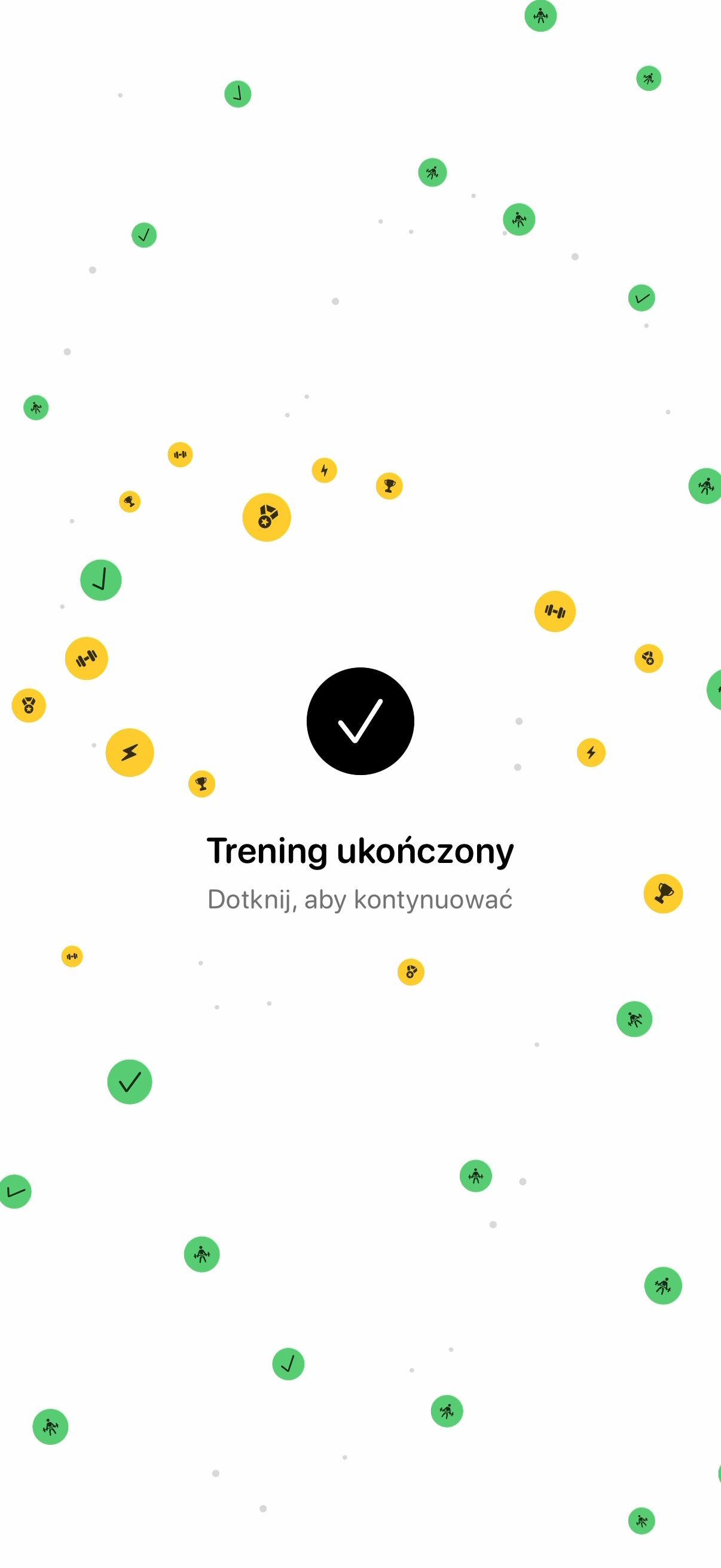
Another example, Training summary animation:
Connects securely to your tools. The creator never sees your data.
About this skill
Building native iOS interfaces often results in a gap between design inspiration and functional code. This skill bridges that gap by using the Mobbin MCP to research real-world app flows and translating visual evidence into production-ready SwiftUI code.
What it does
- Design research queries Mobbin for screens, UI components, and multi-step user flows to establish design patterns.
- Pattern synthesis creates original design specifications for SwiftUI based on observed iOS references and your existing brand.
- SwiftUI implementation builds native screens, navigation stacks, and UI states using system-standard components and SF Symbols.
- Flow logic defines entry and exit points, validation, persistence, and state management for complex journeys like onboarding or paywalls.
- Native verification checks implementations against deployment targets and architectural conventions to ensure project compatibility.
How it works
- Research phase uses
search_screensorsearch_flowsvia the Mobbin tool to gather visual evidence for a specific feature. - Specification phase produces a synthesis of adopted patterns, interaction logic, and navigation structures.
- Implementation phase generates SwiftUI source code, including semantic styling, asset catalog organization, and state handling.
- Refinement phase applies motion, haptics, and error states while verifying against Apple's Human Interface Guidelines.
Frameworks & tools
Built for native iOS development using Swift and SwiftUI. It utilizes the Mobbin MCP for design discovery and supports standard Xcode project structures, SF Symbols, and StoreKit for in-app purchase flows.
Why this beats prompting it yourself
Generic prompts often result in web-like layouts or outdated UIKit code. This skill enforces native SwiftUI best practices, handles complex edge cases like "Reduce Motion" settings, and ensures that research from real apps is translated into your specific brand identity rather than just copied.
Use cases
- Researching and building a high-conversion onboarding flow based on top-tier iOS apps.
- Modernizing an existing screen by analyzing current design trends in specific industry categories.
- Generating a complete paywall implementation including state management and localized error handling.
- Scaffolding a new feature's navigation architecture using native
NavigationStackand modal patterns.
Known limitations
Does not support non-native frameworks like React Native or Expo. Cannot access video content or downloadable assets from Mobbin beyond what the MCP tools provide. Verified builds require a local Xcode environment.
Find more skills like this on the Claude Skills Marketplace, the Codex Skills Marketplace and the Gemini Skills Marketplace, or browse Claude Skills for Mobile Development.
Native iOS only (no React Native/Expo). Requires Mobbin MCP for research features. Cannot prove performance or navigation behavior without a local Xcode simulator.
How to use
- 1
Connect your agent to the Agensi MCP
Copy the prompt and paste it into Claude, ChatGPT, Cursor or any agent that supports MCP. It sets up the connection for you. Manual setup
- 2
Sign in to Agensi
Your agent shows a sign-in link. Sign in and click Allow.
- 3
Ask for what you need
Your agent loads this skill and uses it on your task. It always asks before buying a skill.
Reviews
No reviews yet
Be one of the first to try it. Every listed skill goes through the trust checks below.
Security scanned
Checked by our 8-point scan before listing
Fresh listing
Recently published to Agensi
Money-back guarantee
Doesn't do what its page promises? You get your money back.
Trust & safety
Security scan
Security scan passed 9 days ago
- Software
Node.js
Git