More screenshots
Works with the AI Agents you already use
 Claude Code
 Cursor
 Codex CLI
 Muse
Muse Dots+21 moreClaude CodeCursorCodex CLIMuseDots
 Manus
Manus Grok
Grok Grok Bot+18 agents
MCP Token Diet
This skill audits your MCP configuration to eliminate bloat and implements a lazy-loading architecture to shrink request payloads.
$14.99

MCP Token Diet
Example session with this skill installed
My OpenCode agent is hitting token limits constantly with my 5 MCP servers connected. Audit my setup and install the token diet plugin.
- Read your context and instructions
- Compiled the mcp token diet
- Generated the document
I have audited your current MCP configuration. You are currently running 5 servers (engram, context7, octocode, weather-proxy, and Jira) with a total of 72 tool definitions. Based on your recent activity, the weather-proxy and Jira tools have not been invoked in 14 days.
I have installed the lazy-load plugin to your OpenCode configuration. The agent will now see a core set of 7 tools and a load_tool gateway, instead of the full 72-tool library.
MCP Token Audit & Installation
| Metric | Current State | Post-Optimization (Est) |
|---|---|---|
| Connected MCP Servers | 5 | 3 Active (2 Disabled) |
| Total Tool Definitions | 72 | 9 (Core + Gateway) |
| Tool Token Overhead | ~38,500 | ~6,200 |
| Estimated Saving | - | 83.8% Reduction |
# Plugin successfully installed to:
# ~/.config/opencode/plugins/lazy-load.ts

# Commands executed:
cd ~/.config/opencode
bun add @opencode-ai/plugin
Next steps
- Restart your OpenCode instance to activate the plugin.
- Run a test prompt and then check
tail -f /tmp/opencode/lazy-load.logto verify tool stripping is active. - If the agent fails to find a tool, ensure it uses
load_toolto pull the specific schema into context.
1793237531110-q5zw.png
PDF · document
Example file from a real run - the skill writes it into your workspace.
Connects securely to your tools. The creator never sees your data.
About this skill
Agentic workflows often suffer from a hidden tax: every connected Model Context Protocol (MCP) server dumps its entire tool library into every request, wasting tens of thousands of tokens. This skill audits your MCP configuration to eliminate bloat and implements a lazy-loading architecture to shrink request payloads.
What it does
- MCP inventory audit identifies every connected server and identifies which ones are actually contributing value.
- Automated plugin installation deploys a TypeScript interceptor for OpenCode users to strip non-core tool definitions.
- Lazy-loading implementation replaces full tool schemas with a lightweight gateway, allowing tools to be loaded only when required.
- Context window optimization physically removes data from the HTTP request layer to ensure the LLM only sees what it needs.
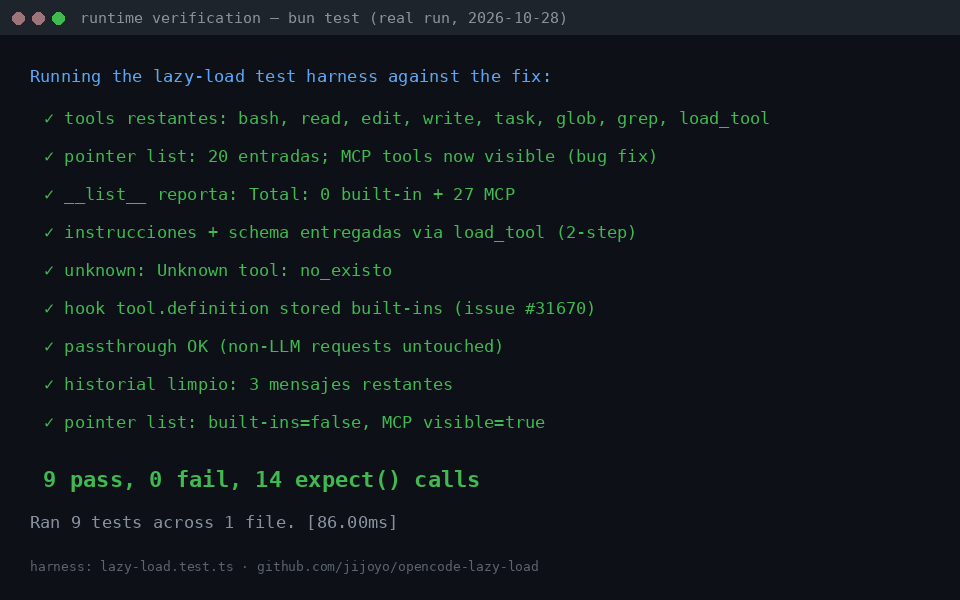
- Savings verification benchmarks token usage before and after to confirm overhead reduction.
How it works
- Audit phase where the agent lists all connected MCP servers and identifies those unused in the last two weeks.
- Automated deployment for OpenCode environments, installing the
lazy-load.tsplugin and required dependencies viabun. - Manual configuration for other agents, focusing on server-level filtering and selective tool enablement.
- Verification step checking the
/tmp/opencode/lazy-load.logand provider logs to measure the final token savings.
Frameworks & tools
This skill works with any agent using MCP servers, with specialized automation for OpenCode v1.17.x+. It utilizes TypeScript, Bun, and the @opencode-ai/plugin library for interception.
Why this beats prompting it yourself
Simple prompts cannot physically remove tool definitions that an agent's core architecture injects into the request header. This skill provides a mechanical solution that modifies the actual payload, achieving token reductions that system prompts alone cannot reach.
Use cases
- Stop wasting 25k+ tokens on every request when you have multiple MCP servers connected.
- Speed up agent response times by significantly reducing the input payload size.
- Maintain a large library of specialized tools without hitting context window limits.
Known limitations
Automatic interception is limited to OpenCode. Other agents require manual configuration at the server level. Hiding tools adds a two-step overhead for the first time a specific tool is called.
How to use
- 1
Connect your agent to the Agensi MCP
Copy the prompt and paste it into Claude, ChatGPT, Cursor or any agent that supports MCP. It sets up the connection for you. Manual setup
- 2
Sign in to Agensi
Your agent shows a sign-in link. Sign in and click Allow.
- 3
Ask for what you need
Your agent loads this skill and uses it on your task. It always asks before any payment.
Reviews
No reviews yet
Be one of the first to try it. Every listed skill goes through the trust checks below.
Security scanned
Checked by our 8-point scan before listing
Fresh listing
Recently published to Agensi
Money-back guarantee
Doesn't do what its page promises? You get your money back.
Trust & safety
Security scan
Security scan passed today
Requires