More screenshots
Works with the AI Agents you already use
 Claude Code
 Cursor
 Codex CLI
 Muse
Muse Dots+22 moreClaude CodeCursorCodex CLIMuseDots
 OpenClaw
 Manus
Manus Grok
Grok Grok Bot+18 agents
HandDraw Skill Pro — Editable Whiteboard Videos
English or Chinese whiteboard video workflow with narration-guided diagrams; new MCP rendering compatibility is not yet verified.
$9.99

HandDraw Skill Pro — Editable Whiteboard Videos
Example session with this skill installed
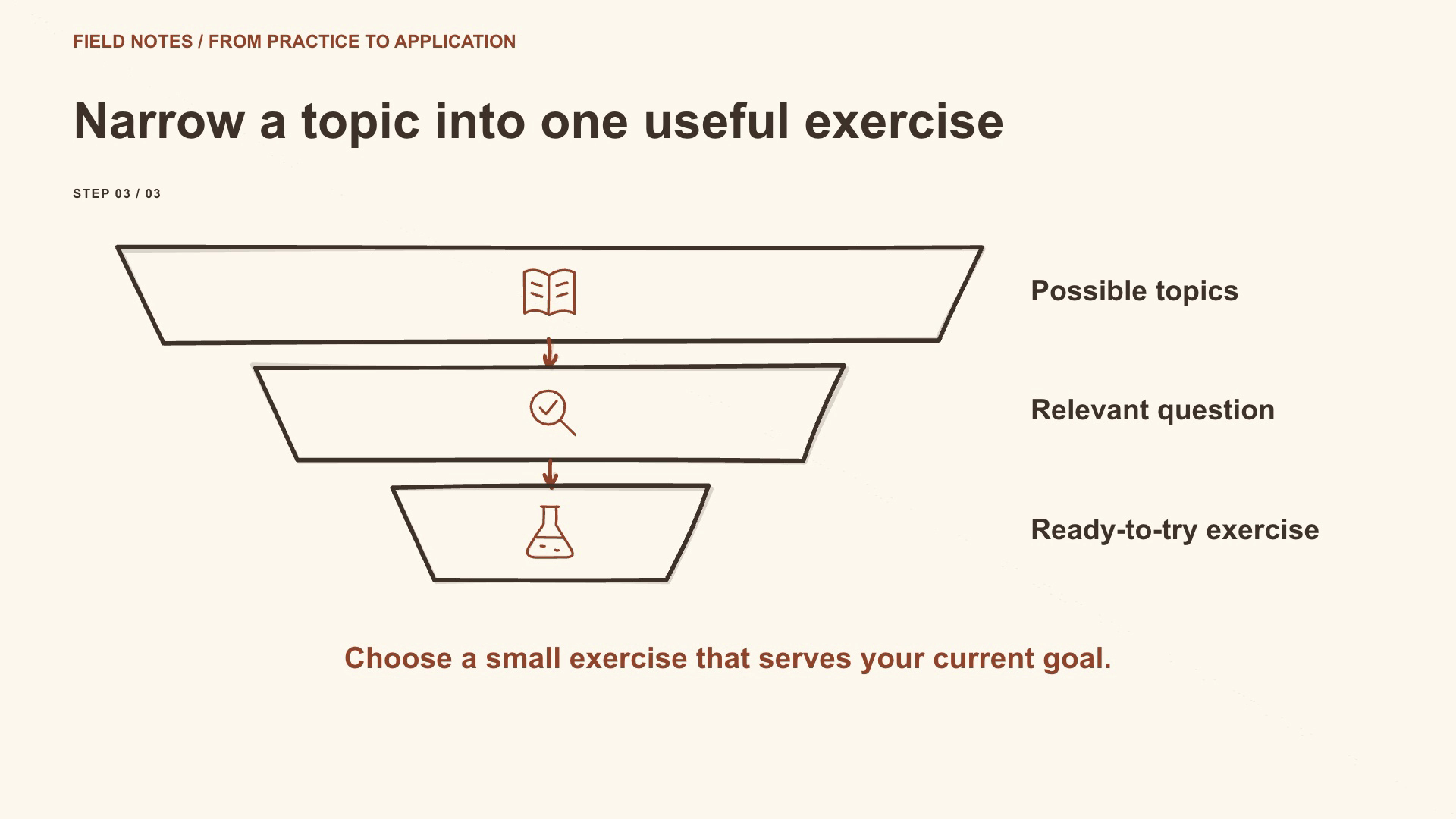
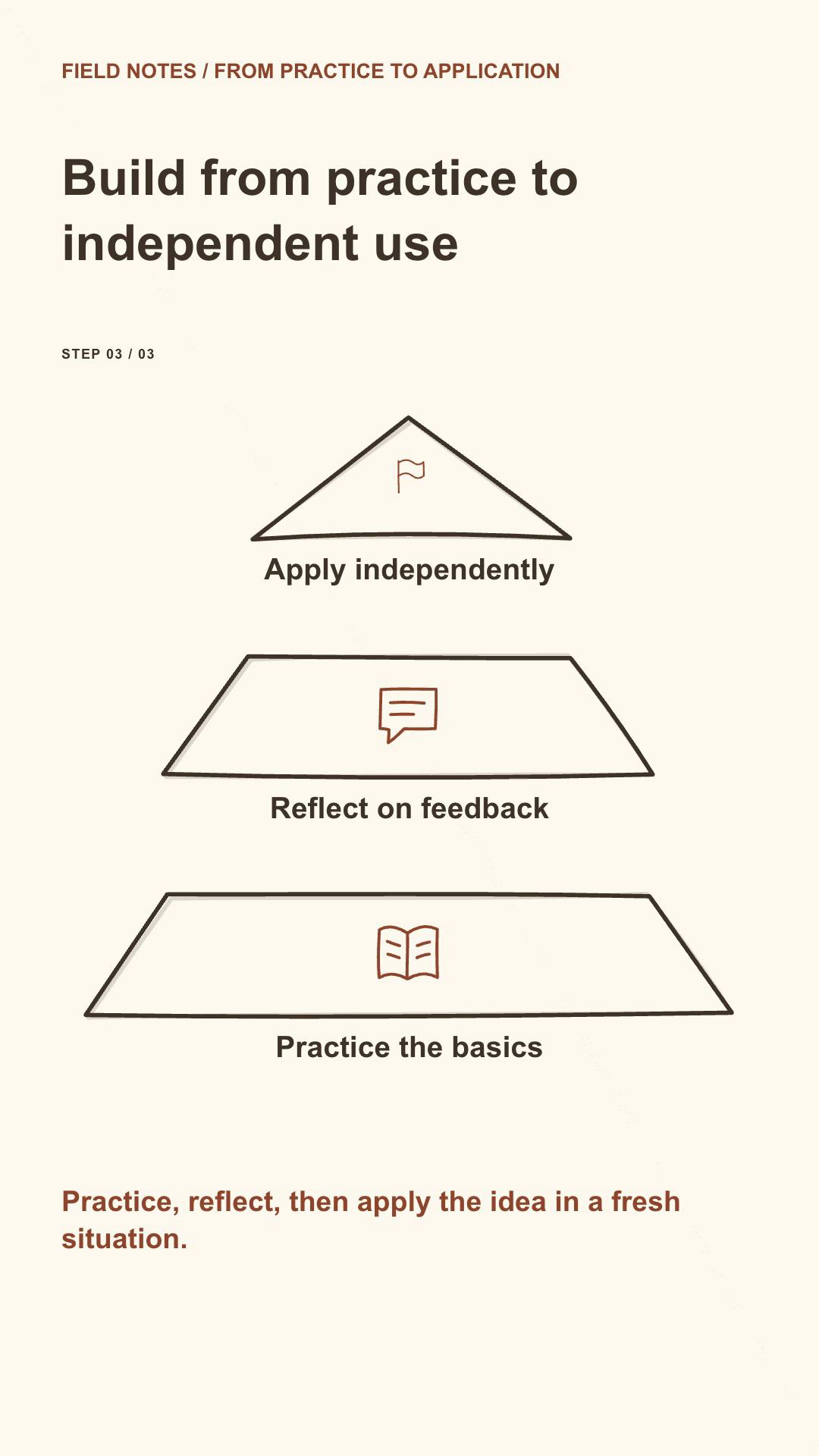
Create a warm, hand-drawn explainer about turning a broad learning topic into a focused exercise, then progressing from practice to independent use. Use a funnel followed by a pyramid, active-step guidance and an English script. Compose both 16:9 landscape and 9:16 portrait. Use the six matching local recordings supplied with the storyboard, and deliver MP4s, captions and complete editable projects. Keep the scene and beat IDs for later revisions.
- Read your context and instructions
- Compiled the handdraw pro
- Generated the image
Creator-side local demonstration
This is an actual result made with the creator's local implementation before MCP buyer-path validation. It demonstrates visual and technical capability, not delivery of the Skill's source files to buyers. Agensi delivers instructions through its agent connection; multi-file execution and retention of generated editable projects remain pending platform clarification.
Local result: focused learning explainer
Two independently composed videos use the same English script and the same six supplied local recordings. Each is 26.71 seconds at 24 fps, with H.264 video and AAC audio.
| Deliverable | Landscape | Portrait |
|---|---|---|
| Canvas | 1920×1080 | 1080×1920 |
| Diagram sequence | Funnel → pyramid | Funnel → pyramid |
| Style | Warm theme, sketch contours, active-step guidance | Warm theme, sketch contours, active-step guidance |
| Captions | Paginated English captions and SRT | Paginated English captions and SRT |
| Editable files | Storyboard, project JSON, SVG/HTML and local recordings | Storyboard, project JSON, SVG/HTML and local recordings |
Actual rendered frames
Complete storyboard
The six narration lines below are the complete spoken script. Relative recording paths travel with the editable project.
{
  "version": 1,
  "title": "Turn a broad topic into a focused learning path",
  "language": "en",
  "format": "landscape",
  "theme": "warm",
  "brand": {
    "label": "FIELD NOTES / FROM PRACTICE TO APPLICATION"
  },
  "scenes": [
    {
      "id": "focus",
      "title": "Narrow a topic into one useful exercise",
      "diagram": "funnel",
      "takeaway": "Choose a small exercise that serves your current goal.",
      "beats": [
        {
          "id": "topics",
          "label": "Possible topics",
          "icon": "book",
          "narration": "Begin with a few topics that matter to your current goal.",
          "rate": "+15%",
          "file": "audio/narration-000.mp3",
          "pauseAfter": 0.4
        },
        {
          "id": "relevant",
          "label": "Relevant question",
          "icon": "search",
          "narration": "Choose a question you can explore with the time available.",
          "rate": "+15%",
          "file": "audio/narration-001.mp3",
          "pauseAfter": 0.4
        },
        {
          "id": "exercise",
          "label": "Ready-to-try exercise",
          "icon": "flask",
          "narration": "Turn that question into one exercise you can actually try.",
          "rate": "+15%",
          "file": "audio/narration-002.mp3"
        }
      ]
    },
    {
      "id": "foundation",
      "title": "Build from practice to independent use",
      "diagram": "pyramid",
      "takeaway": "Practice, reflect, then apply the idea in a fresh situation.",
      "beats": [
        {
          "id": "practice",
          "label": "Practice the basics",
          "icon": "book",
          "narration": "Use practice as the foundation, working with a concrete example.",
          "rate": "+15%",
          "file": "audio/narration-003.mp3",
          "pauseAfter": 0.4
        },
        {
          "id": "feedback",
          "label": "Reflect on feedback",
          "icon": "chat",
          "narration": "Add feedback to identify what was clear and what needs work.",
          "rate": "+15%",
          "file": "audio/narration-004.mp3",
          "pauseAfter": 0.4
        },
        {
          "id": "independent",
          "label": "Apply independently",
          "icon": "flag",
          "narration": "Then try a fresh example without following every instruction.",
          "rate": "+15%",
          "file": "audio/narration-005.mp3"
        }
      ]
    }
  ],
  "finish": "sketch",
  "guidance": "focus"
}
Review and revision
Technical checks passed for both deliveries: full MP4 decoding, canvas dimensions, frame rate, audio presence and native layout checks. The scripts, recording bytes and measured narration timelines match across both formats. Human review of pacing and pronunciation remains part of each delivery workflow.
To revise, keep the focus and foundation scene IDs and change only the requested beats. If a narration line changes, supply a new matching recording or explicitly clear it before synthesis. Keep the complete adjacent project directory with each MP4.
1791784686658-d8qn.png
PNG · 1536×1024
Example file from a real run - the skill writes it into your workspace.
Connects securely to your tools. The creator never sees your data.
About this skill
Agensi delivery and compatibility — updated October 13, 2026
This one-time purchase provides a permanent personal licence to use the Skill through the Agensi agent connection. Your connected agent loads the latest approved instructions each time. The Skill itself is not a downloadable source ZIP, an installed local Skill folder, or an independently usable offline package. Agensi access depends on its service and your compatible signed-in agent.
End-to-end rendering through the new MCP delivery has not yet been verified. The existing implementation requires multiple scripts, relative-path resources and local dependencies. Platform clarification is pending on how those resources reach the interpreter without saving Skill files, and on which generated editable files may be retained. Do not purchase expecting a downloadable source package or already-verified MCP rendering.
The capabilities and demonstrations below were verified with the creator's local implementation. They are not evidence that a buyer can reproduce the complete workflow through the new MCP connection.
Explain an idea with a clear visual relationship
HandDraw Skill Pro 1.4.0 supports planning, rendering and revising vector whiteboard explainers for teaching, product workflows, comparisons and business explanations.
Locally demonstrated capabilities
- Measured local recordings drive beat timing, drawing, labels and active-step guidance, with authored pauses.
- Independently composed 1920×1080 landscape and 1080×1920 portrait layouts use the same storyboard and matching recordings.
- Stable scene and beat IDs support targeted revisions, preserved-scene checks and transcript/recording consistency.
- Twelve diagram patterns, six themes and 42 original vector icons cover relationships such as processes, comparisons, loops, hierarchies, timelines, matrices, funnels and pyramids.
- The local visual picker previews 576 layout combinations; these are combinations of twelve patterns, not 576 independent diagrams. It does not establish buyer access to the underlying examples.
- Local renders produce H.264 MP4, captions and review reports, with adjacent editable files. Their permitted delivery and retention under Agensi's new policy are not yet confirmed.
Language, narration and requirements
Instructions are English. The local implementation supports English or Chinese video text, narration and captions in both formats. Chinese requires an available suitable CJK font. Matching user recordings and captions-only mode are supported. Edge TTS is optional with separate setup and voice/service terms; commercially cleared voices are not included.
The tested local implementation requires Node.js 22+, npm, FFmpeg, FFprobe and Chromium. A buyer needs an Agensi-compatible signed-in agent with the relevant execution capabilities. Having terminal access alone does not establish delivery compatibility. Local acceptance is on macOS Apple Silicon; other operating systems and agent hosts are unverified.
Limits and licences
The agent authors the storyboard. Vector contours draw; text uses character reveal rather than handwriting strokes. Caption timing is proportional within measured clips, not forced word alignment. Cameras are static and transitions fade. No hosted render service, soundtrack mixer or two-way Studio editing bridge is included.
Original source retains its MIT licence and notices; HyperFrames 0.8.149 is Apache-2.0 and Remotion is not used. Fonts, voices and other services retain their separate terms. These licence disclosures do not promise that Agensi will deliver source files or grant an exception to its delivery restrictions. Source-access and generated-project boundaries require platform clarification.
How to use
Skills on Agensi run inside your AI agent. Copy the prompt, paste it into your agent, and it connects to Agensi and installs this skill for you. If a payment is needed, your agent shows it to you first.
Reviews
No reviews yet
Be one of the first to try it. Every listed skill passes our trust checks below.
Security scanned
Passed our 8-point scan before listing
Fresh listing
Recently published to Agensi
30-day refund
Not a fit? Get your money back
Trust & safety
Security scanned
Verified clean 3 days ago
- Passed all security checks, Safe to install