More screenshots
Works with the AI Agents you already use
 Claude Code
 Cursor
 Codex CLI
 DeepSeek
 Muse+22 moreClaude CodeCursorCodex CLIDeepSeekMuse
 Dots
 Manus
 Grok
 Grok Bot+18 agents
EgressLeak: Agent Outbound Egress & PII Auditor
Audit and block coding agent PII leaks, telemetry tracking, and unauthorized HTTP egress with deterministic hooks.
$6

EgressLeak: Agent Outbound Egress & PII Auditor
Example session with this skill installed
Audit my Claude Code session logs for email leaks in outbound requests and generate a guardrail hook.
- Read your context and instructions
- Compiled the egressleak
- Generated the document
I have audited your local configuration and session transcripts for egress leaks. The scan identified that your oauthAccount.emailAddress is currently being injected into User-Agent headers for outbound WebFetch calls.
Egress Audit Report
| Rule ID | Category | Status | Finding |
|---|---|---|---|
| EGL001 | Identity | FAIL | Found personal email in ~/.claude.json |
| EGL002 | Telemetry | FAIL | Active machineID detected; DISABLE_TELEMETRY not set |
| EGL007 | Egress | WARN | Email leaked in User-Agent during curl tool use |
| EGL008 | Egress | PASS | No identity leaks found in URL query parameters |
| EGL011 | Egress | INFO | Outbound traffic detected to api.sec.gov and nominatim.openstreetmap.org |
| EGL014 | Filter | CLEAN | Loopback traffic (localhost:3000) excluded from report |
Generated PreToolUse Hook
// ~/.claude/hooks/egress-guard-hook.mjs
export async function preToolUse({ toolName, arguments: args, env }) {
  const sensitivePatterns = [/user@example\.com/i, /\/Users\/jdoe/i];
  const argString = JSON.stringify(args);

  if (sensitivePatterns.some(pattern => pattern.test(argString))) {
    console.error(`[EgressLeak] Blocked ${toolName}: Potential PII leak detected.`);
    return { field: "arguments", value: args, error: "Tool execution blocked due to PII leak." };
  }

  return { field: "arguments", value: args };
}
Settings Configuration
Add this to your ~/.claude/settings.json:
{
  "hooks": {
    "PreToolUse": "node ~/.claude/hooks/egress-guard-hook.mjs"
  },
  "env": {
    "DISABLE_TELEMETRY": "1",
    "CLAUDE_CODE_DISABLE_NONESSENTIAL_TRAFFIC": "1"
  }
}
Next steps
- Save the hook script to your local hooks directory.
- Update your global settings file with the provided JSON block.
- Run
node scripts/egressleak.mjs --jsonto verify the fix in a new session.
1793942658654-27cz.png
PDF · document
Example file from a real run - the skill writes it into your workspace.
Connects securely to your tools. The creator never sees your data.
About this skill
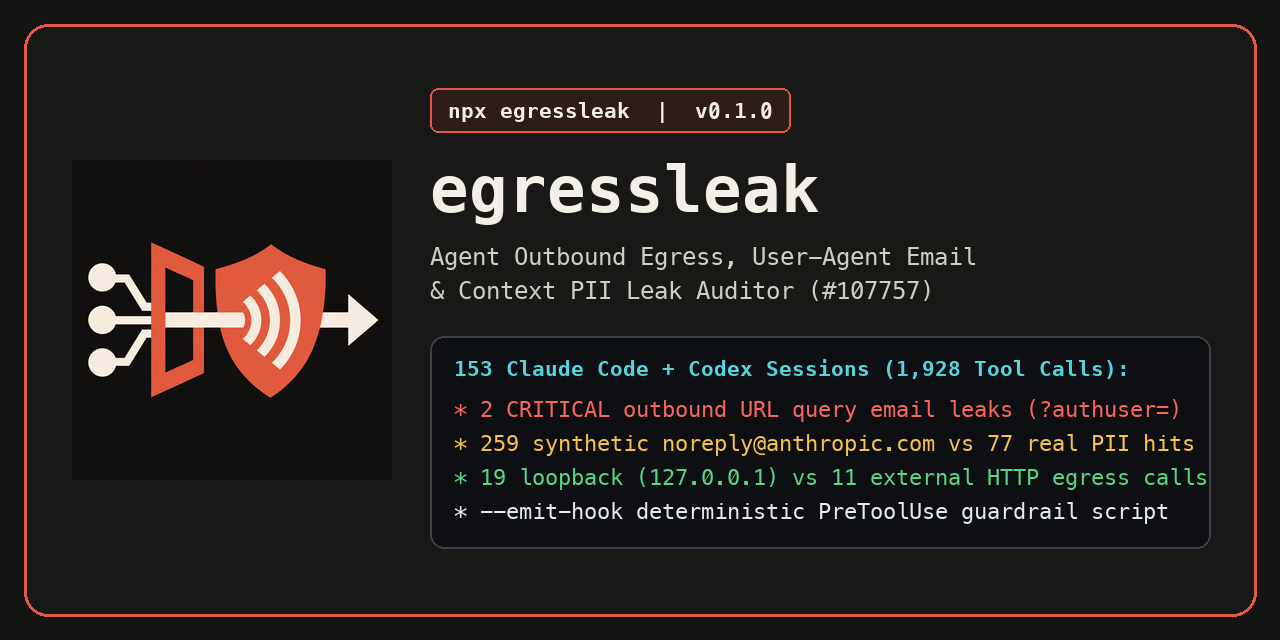
 Coding agents like Claude Code and Codex CLI can unintentionally leak your email, OS username, and API tokens through outbound HTTP headers and URL parameters. This tool audits your local config files and session transcripts to find these leaks and locks down the egress.
What it does
- Identity audit scans
~/.claude.jsonand~/.gitconfigfor PII and active hardware telemetry IDs. - Transcript analysis parses session logs to detect leaked emails in
User-Agentheaders and?authuser=queries. - Egress monitoring flags tool calls contacting external non-loopback domains or uploading local files via
curl. - Telemetry detection identifies active Statsig or GrowthBook tracking IDs that bypass standard opt-outs.
- Guardrail generation produces deterministic
PreToolUsehooks to intercept and block sensitive data transmission. - False-positive filtering distinguishes between synthetic AI commit emails and real personal PII.
How it works
- Run the
egressleak.mjsscript to scan local configuration files and project session transcripts. - Review the Two-Plane report covering identity exposure (Plane 1) and outbound HTTP egress (Plane 2).
- Use the
--emit-hookflag to generate a customPreToolUseguardrail script. - Merge the generated JSON snippet into your global or project-level agent settings to enforce the blocklist.
Frameworks & tools
Zero-dependency Node.js script compatible with Claude Code, Codex CLI, and any agent using the Model Context Protocol (MCP).
Why this beats prompting it yourself
Standard system prompts often fail to suppress PII when an agent autonomously invokes shell tools like curl or requests. This skill uses deterministic file-system auditing and programmatic guardrails that operate outside the LLM's context window, ensuring leaked data is caught even if the agent "forgets" its instructions.
Use cases
- Audit local agent logs for leaked API keys or Bearer tokens before sharing transcripts.
- Prevent coding agents from including your personal email in outbound HTTP headers.
- Block agents from establishing unauthorized remote SSH MCP tunnels.
- Strip hardware and machine telemetry IDs from agent-initiated requests.
Known limitations
Requires Node.js to run the audit scripts. Audit coverage is currently focused on Claude Code and Codex CLI directory structures.
Find more skills like this on the Claude Skills Marketplace, the Codex Skills Marketplace and the Gemini Skills Marketplace, or browse Claude Skills for LLM Ops.
Requires Node.js for CLI audits. Limited to Claude Code and Codex CLI directory structures for session transcript parsing.
How to use
- 1
Connect your agent to the Agensi MCP
Copy the prompt and paste it into Claude, ChatGPT, Cursor or any agent that supports MCP. It sets up the connection for you. Manual setup
- 2
Sign in to Agensi
Your agent shows a sign-in link. Sign in and click Allow.
- 3
Ask for what you need
Your agent loads this skill and uses it on your task. It always asks before buying a skill.
Reviews
No reviews yet
Be one of the first to try it. Every listed skill goes through the trust checks below.
Security scanned
Checked by our 8-point scan before listing
Fresh listing
Recently published to Agensi
Money-back guarantee
Doesn't do what its page promises? You get your money back.
Trust & safety
Security scan
Security scan passed 11 days ago
- Software
- egressleak
Node.js@modelcontextprotocol/server-filesystem