More screenshots
Works with the AI Agents you already use
 Claude Code
 Cursor
 Codex CLI
 Muse
Muse Dots+22 moreClaude CodeCursorCodex CLIMuseDots
 OpenClaw
 Manus
Manus Grok
Grok Grok Bot+18 agents
Driftguard
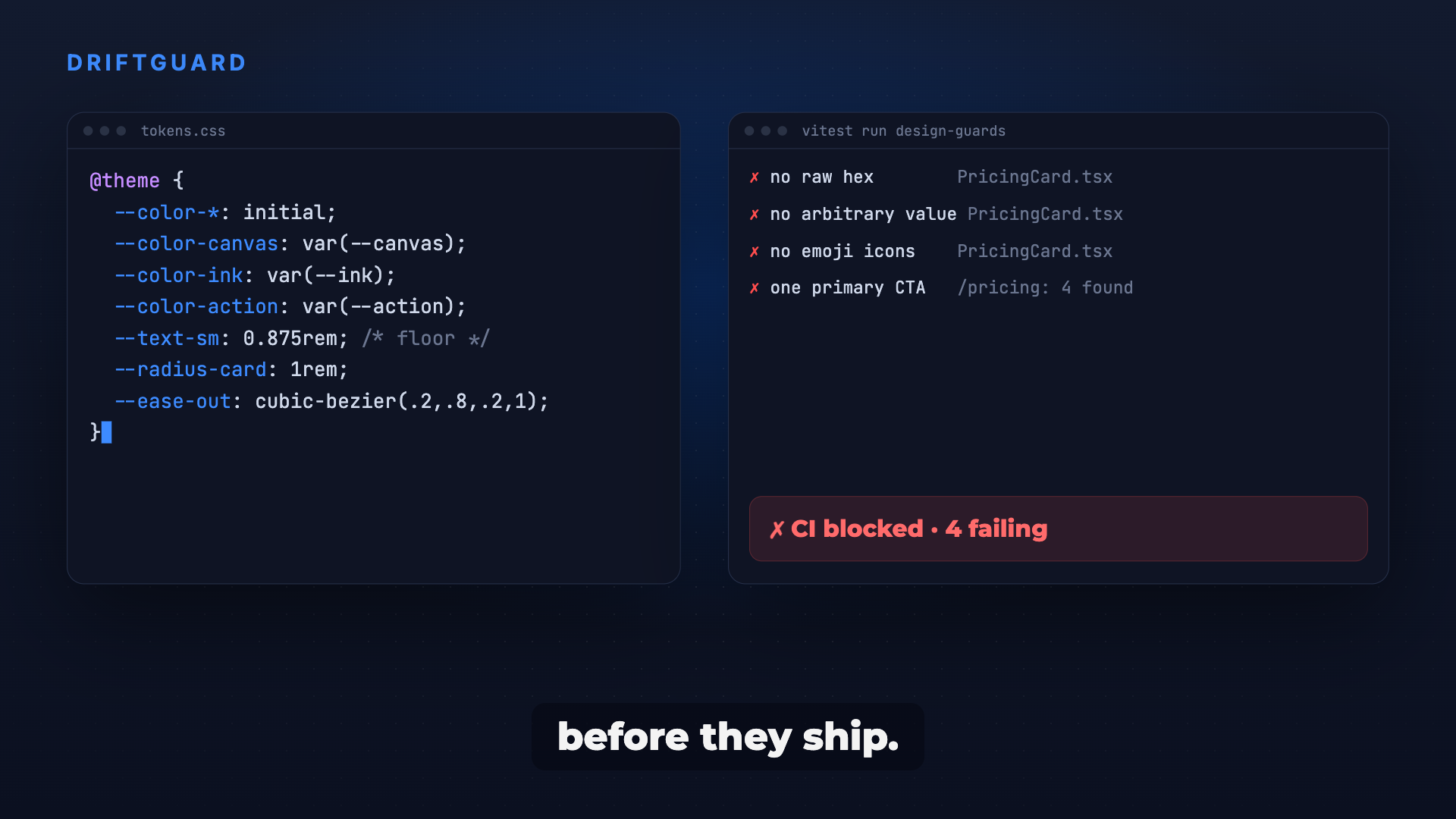
Turn your design spec into tokens and failing tests, so raw hex, text-[13px], emoji icons and extra CTAs never creep back into the UI.
$12

Driftguard
Example session with this skill installed
Lock the tokens for my new brand kit. We use Tailwind v4. The main brand color is #2F4BFF (Action) and the background is #F7F8FC (Canvas). Ban all raw hex and arbitrary values.
- Read your context and instructions
- Compiled the driftguard
- Generated the app files
I have generated the design token system and automated guards. I mapped your brand colors to semantic roles, cleared the default Tailwind palette, and added guards that fail CI on drift.
Design Token Implementation
/* src/styles/tokens.css */
@import "tailwindcss";

@custom-variant dark (&:where([data-theme=dark], [data-theme=dark] *));

:root {
  --app-canvas: #F7F8FC;
  --app-action: #2F4BFF;
  --app-ink: #1A1A1A;
}

[data-theme=dark] {
  --app-canvas: #0B1020;
  --app-action: #6F86FF;
  --app-ink: #FFFFFF;
}

@theme inline {
  --color-*: initial;
  --color-canvas: var(--app-canvas);
  --color-action: var(--app-action);
  --color-ink: var(--app-ink);
}

@theme {
  --text-*: initial;
  --text-footnote: 13px;
  --text-body: 16px;
  --radius-card: 12px;
  --ease-ui: cubic-bezier(0.2, 0, 0, 1);
}

:root {
  --dur-enter: 200ms;
  --dur-exit: 150ms;
  --press-scale: 0.96;
}
// tests/unit/design-guards.test.ts
import { it, expect } from "vitest";
import { readFileSync, readdirSync, statSync } from "node:fs";
import { join } from "node:path";

const SKIP = ["src/styles", "src/lib/tokens.ts", "src/types/database.ts"]; // the token file is where hex is allowed
const walk = (d: string): string[] => SKIP.some((s) => d.startsWith(s)) ? [] :
  readdirSync(d).flatMap((f) => { const p = join(d, f); return statSync(p).isDirectory() ? walk(p) : /\.(tsx?|css)$/.test(p) ? [p] : []; });
const RULES: [string, RegExp][] = [
  ["raw hex", /(?<![\w&/])#(?:[0-9a-f]{3,4}|[0-9a-f]{6}|[0-9a-f]{8})\b/i],
  ["colour fn", /\b(?:rgba?|hsla?)\(\s*\d/],
  ["arbitrary value", /\b(?:text|rounded|p[xytrbl]?|m[xytrbl]?|gap|leading|tracking|duration)-\[[^\]]+\]/],
  ["palette name", /\b(?:bg|text|border)-(?:black|white|(?:red|blue|gray|slate)-\d{2,3})\b/],
  ["emoji", /\p{Extended_Pictographic}/u],
  ["transition-all", /\btransition-all\b|transition(?:-property)?:\s*all\b/],
];
const strip = (s: string) => s.replace(/\/\*[\s\S]*?\*\//g, "").replace(/(^|[^:"'`])\/\/.*$/gm, "$1");

it.each(RULES)("no %s in product source", (_name, re) => {
  const offenders = walk("src").filter((f) => re.test(strip(readFileSync(f, "utf8"))));
  expect(offenders).toEqual([]);
});
Also added
e2e/design.spec.ts: on every main route exactly one[data-cta="primary"]is visible, touch targets are at least 44px and form fields at least 16px.jsx-a11y/control-has-associated-labelturned on for icon buttons.- Existing offenders in legacy folders go into a
BASELINEcount that may only go down; new folders must be zero.
Next steps
- Run
npm test; fix or baseline the offenders it lists. - Toggle
data-theme="dark"on<html>and run the contrast test for both themes. - Walk through
docs/design-review.mdfor what a regex cannot see.
1792200062877-c1cx.png
ZIP · project files
Example file from a real run - the skill writes it into your workspace.
Connects securely to your tools. The creator never sees your data.
About this skill
You locked a design spec, and three weeks later the UI is full of stray hex, text-[13px], emoji used as icons and four buttons fighting for attention. Ask your agent to "lock the tokens and stop the design drift" and Driftguard turns the spec into one token file plus cheap automated guards that fail in CI the moment generated code drifts away from it.
Why it's different
- Guards, not guidelines: a unit test fails on raw hex, colour functions, arbitrary Tailwind values, palette names, emoji and glyph icons, dashes in copy and
transition-all. - Adopts without a big bang: new code must be clean, legacy code gets a ratchet that can only go down, so the guard never gets switched off.
- Tests the tokens too: every text role is checked at 4.5:1 contrast in light and dark, with a minimum type size.
- Built from real projects: 14 failures that actually happened, each with its guard.
What it does
- Role table: colours named by job (
canvas,ink-2,action,danger), each with one meaning and a light and dark value. - One token file: colour, type scale with a floor, radius, spacing and motion; an optional JS mirror kept equal by a test.
- Guard test: one rule table in Vitest, with comments stripped first so docs that quote a colour do not fail.
- Runtime checks: exactly one primary CTA per screen, 44px touch targets and 16px form fields, asserted in Playwright.
- Review checklist: what a regex cannot see, saved next to the tokens.
How it works
- Write the role table from your spec or brand kit.
- Put every value in one token file (Tailwind v4
@themeor plain CSS variables). - Add the guard test and the icon-button lint rule.
- Add the e2e checks for one primary CTA, touch targets and form-field size.
- Ratchet legacy, wire into CI, and save the review checklist.
Frameworks & tools
Tailwind CSS v4 or plain CSS variables, Vitest, Playwright and eslint-plugin-jsx-a11y. Works with React and Next.js out of the box; the rules also run as a Node script over HTML and CSS mockups.
Use cases
- Porting an approved design into code without it drifting.
- A revamp that keeps sliding back to random sizes and colours.
- AI-generated code that keeps adding arbitrary values and emoji icons.
- Gating mockups so a board with a lint error is never shown.
Known limitations
It enforces decisions; it does not make them. Pick the look first, then lock it. Needs a test runner in CI to block anything.
How to use
Skills on Agensi run inside your AI agent. Copy the prompt, paste it into your agent, and it connects to Agensi and installs this skill for you. If a payment is needed, your agent shows it to you first.
Reviews
No reviews yet
Be one of the first to try it. Every listed skill passes our trust checks below.
Security scanned
Passed our 8-point scan before listing
Fresh listing
Recently published to Agensi
Money-back guarantee
Doesn't do what its page promises? You get your money back.
Trust & safety
Security scanned
Verified clean today
- Passed all security checks, Safe to install