More screenshots
Works with the AI Agents you already use
 Claude Code
 Cursor
 Codex CLI
 DeepSeek
 Muse+22 moreClaude CodeCursorCodex CLIDeepSeekMuse
 Dots
 Manus
 Grok
 Grok Bot+18 agents
Cited Extract
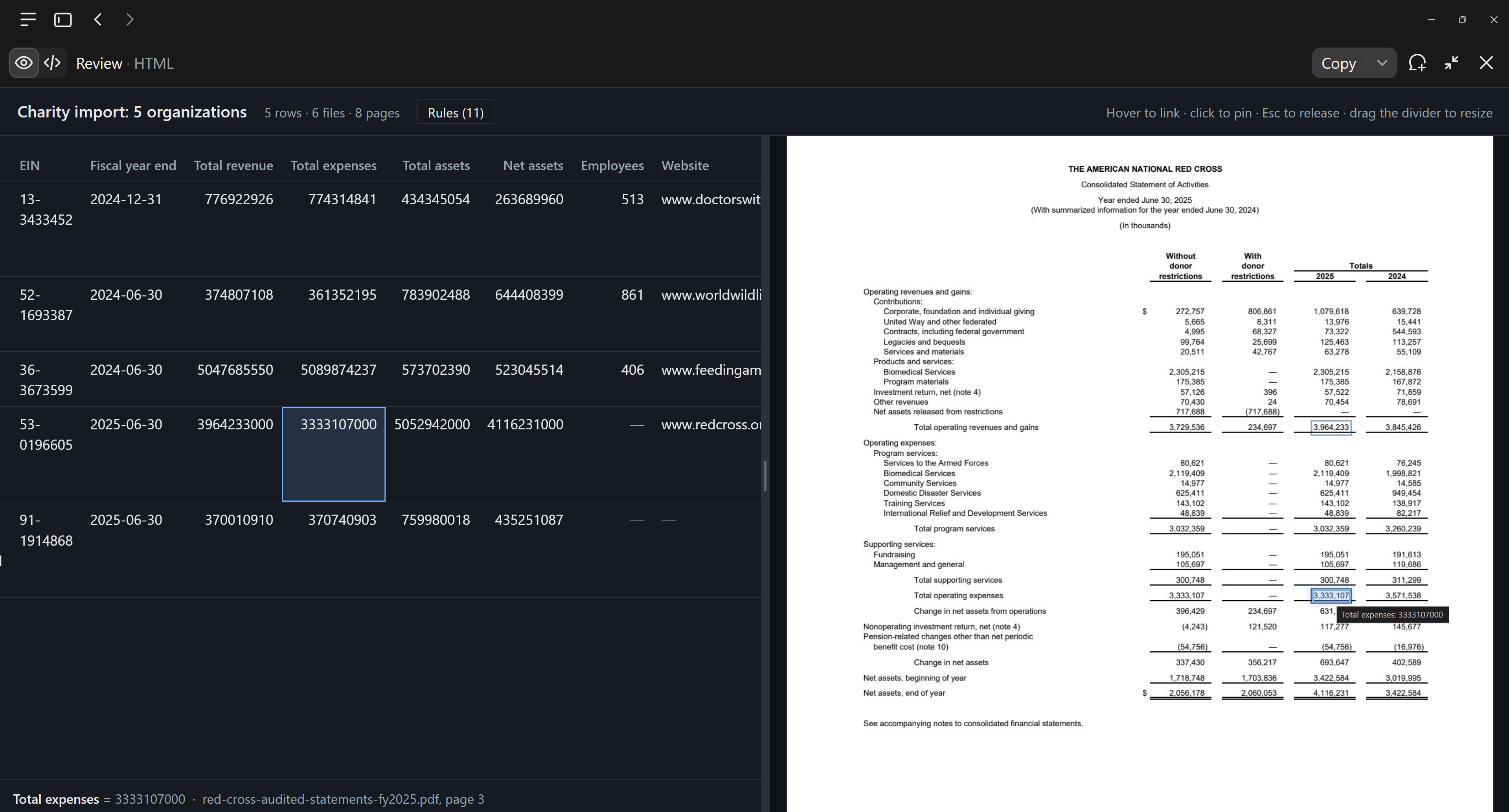
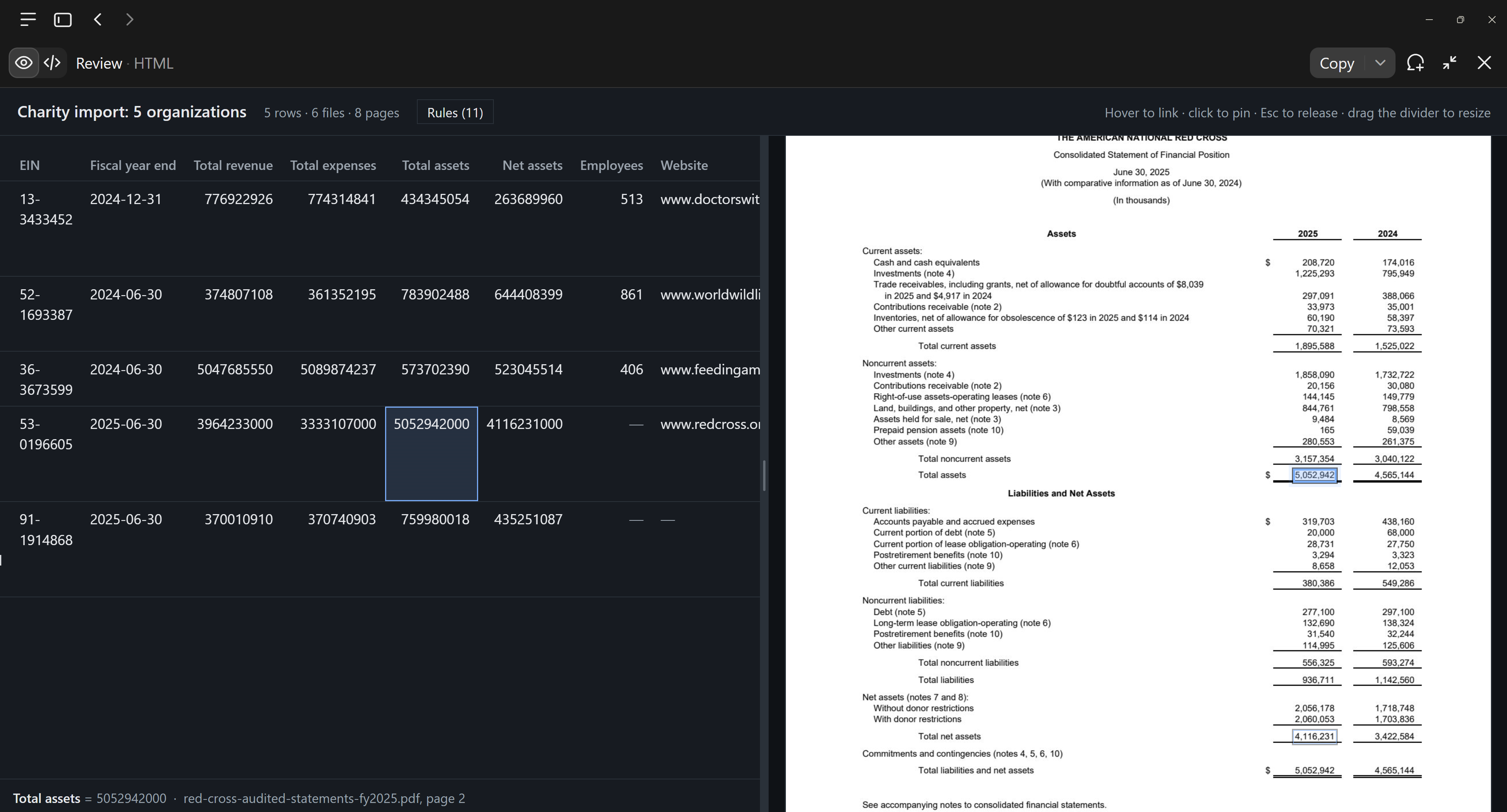
Extract data you can verify: every value points to exactly where it came from.
Free

Cited Extract
Example session with this skill installed
Take this messy data dump, plus the information on the customer's website, and extract it into this template.
- Read your context and instructions
- Compiled the cited extract
Connects securely to your tools. The creator never sees your data.
About this skill
Give it your source files, your template and your rules: PDFs, scans, photos, spreadsheets, even web pages. It pulls every value into your format and builds a review page alongside it. Hover over any value to see it boxed on the page it came from, or hover over the source to see where that value ended up. Each value takes seconds to check, so you can trust the result without retyping or re-reading a thing.
Find more skills like this on the Claude Skills Marketplace, the Codex Skills Marketplace and the Gemini Skills Marketplace, or browse Claude Skills for Workflow Automation.
Requires Python 3.8+ with pdfplumber, pypdfium2, and pillow. Does not support automated OCR for handwritten text. Agent must have filesystem access to run scripts and store work folders.
How to use
- 1
Connect your agent to the Agensi MCP
Copy the prompt and paste it into Claude, ChatGPT, Cursor or any agent that supports MCP. It sets up the connection for you. Manual setup
- 2
Sign in to Agensi
Your agent shows a sign-in link. Sign in and click Allow.
- 3
Ask for what you need
Your agent loads this skill and uses it on your task. It always asks before buying a skill.
Reviews
No reviews yet
Be one of the first to try it. Every listed skill goes through the trust checks below.
Security scanned
Checked by our 8-point scan before listing
Fresh listing
Recently published to Agensi
Free to use
No account required to browse
Trust & safety
Security scan
Security scan passed 11 days ago
- Free with an Agensi account
- Software
Python 3.8+pdfplumberpypdfium2PillowTerminal access
Install the packages with pip install -r requirements.txt.