More screenshots
Works with the AI Agents you already use
 Claude Code
 Cursor
 Codex CLI
 Muse
Muse Dots+22 moreClaude CodeCursorCodex CLIMuseDots
 OpenClaw
 Manus
Manus Grok
Grok Grok Bot+18 agents
Blender Agent Studio — Free Blender AI Plugin
Create and refine Blender models, animations, and scenes in Codex or Claude Code. Free, open-source workflows and local MCP tools.
Free
Blender Agent Studio — Free Blender AI Plugin
Example session with this skill installed
Adapted from the published reading-room example; machine-specific paths and benchmark instructions omitted:
Use Blender Agent Studio to create a complete 6 x 5 meter reading-room interior for a portfolio render. Use warm oak, linen, aged brass and plaster, with late-afternoon window light balanced by a practical lamp.
Furnish a reading nook with an armchair and cushion, side table, lamp, books, rug and plant. Add a separate desk area with a chair, stationery and shelving. Finish the walls, window frames, curtains and trim.
Arrange decoration in purposeful clusters with negative space and a readable focal area. Give the reverse side and shelves the same finish intent. Furniture and small objects should meet their supporting surfaces; cloth should have credible thickness and folds. Keep a clear route between the door and both work areas.
Author SceneHero, SceneReverse and SceneDetail cameras. Use the scene's own lighting and keep architecture from occluding the views. Build, inspect and refine the scene. Save create_asset.py, asset.blend and a short report, and render the three views. Make dependencies reproducible or pack them into the scene. No GLB export is needed.
- Read your context and instructions
- Compiled the blender agent studio
- Generated the image
Reading-room example: delivered scene and source
This is a presentation of a real saved example from the public paired gallery, rather than a verbatim agent transcript. It was created with Claude Code and Sonnet 5.5 using Blender Agent Studio's skills and bundled scripts. The run did not use the optional MCP server.
The editable delivery contains
asset.blend and
create_asset.py, with an armchair reading nook, shelving, a separate desk area, architectural finish, and authored lighting. Three views show the overall composition, reverse side, and a furnished detail.
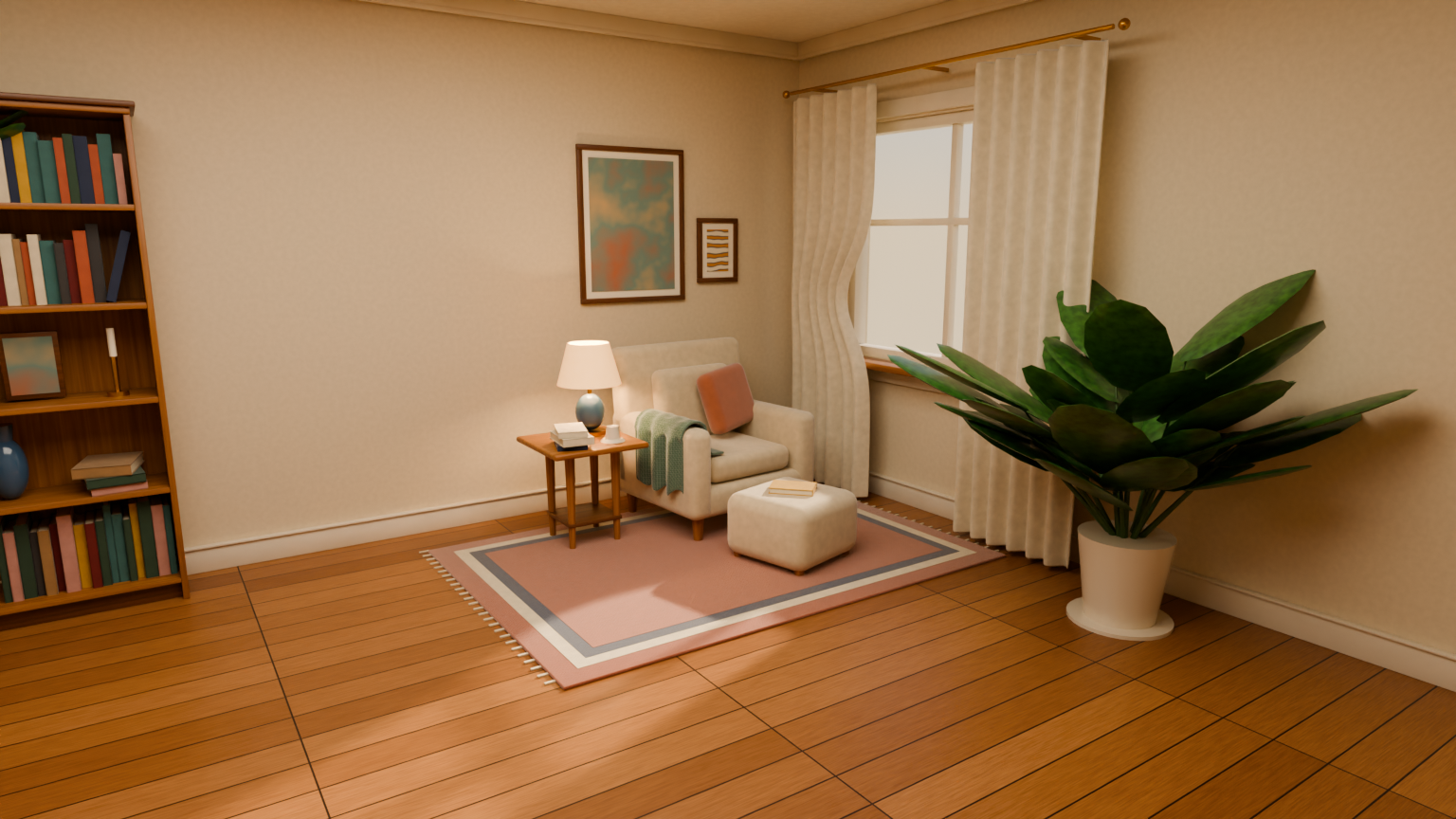
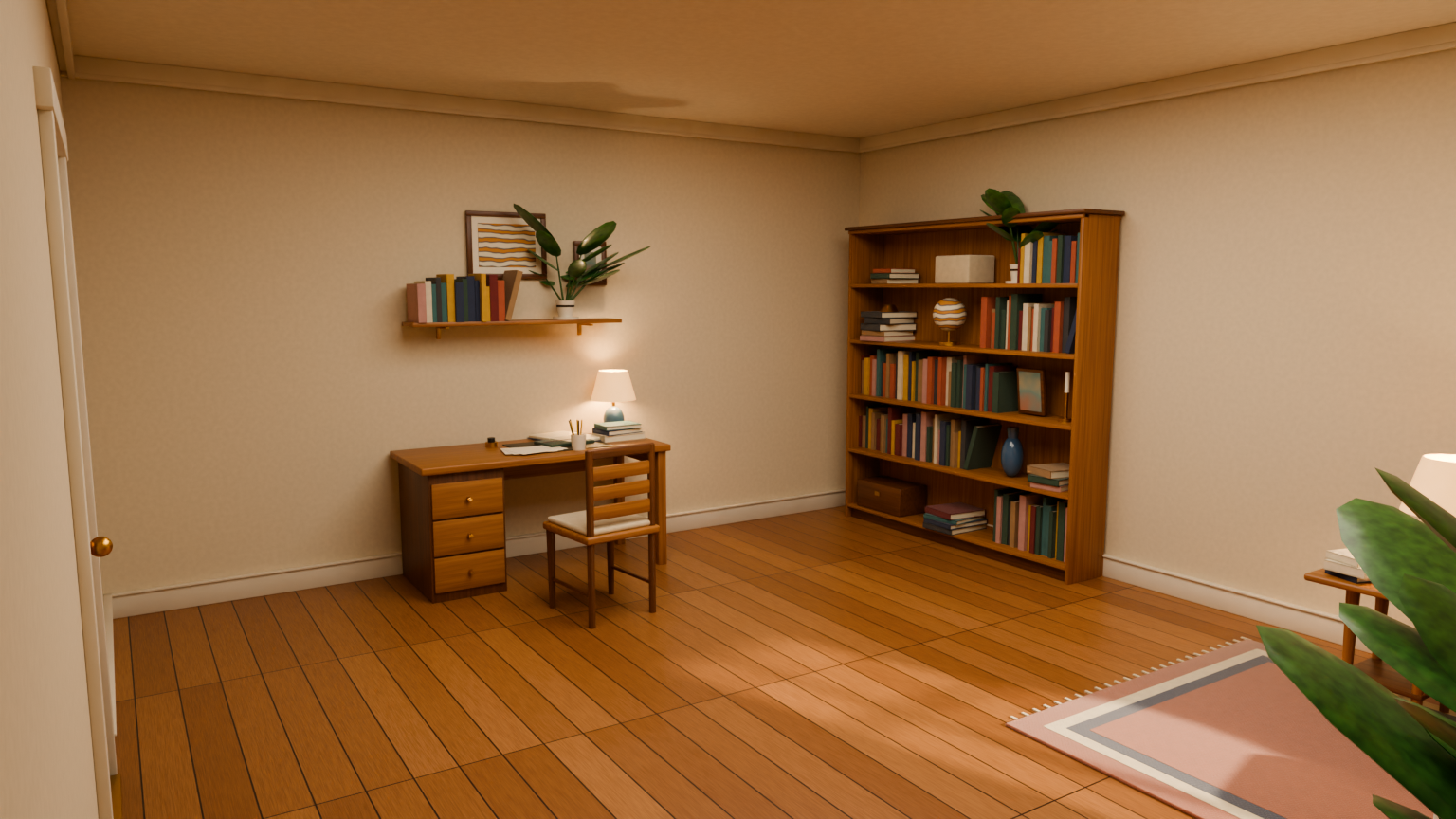
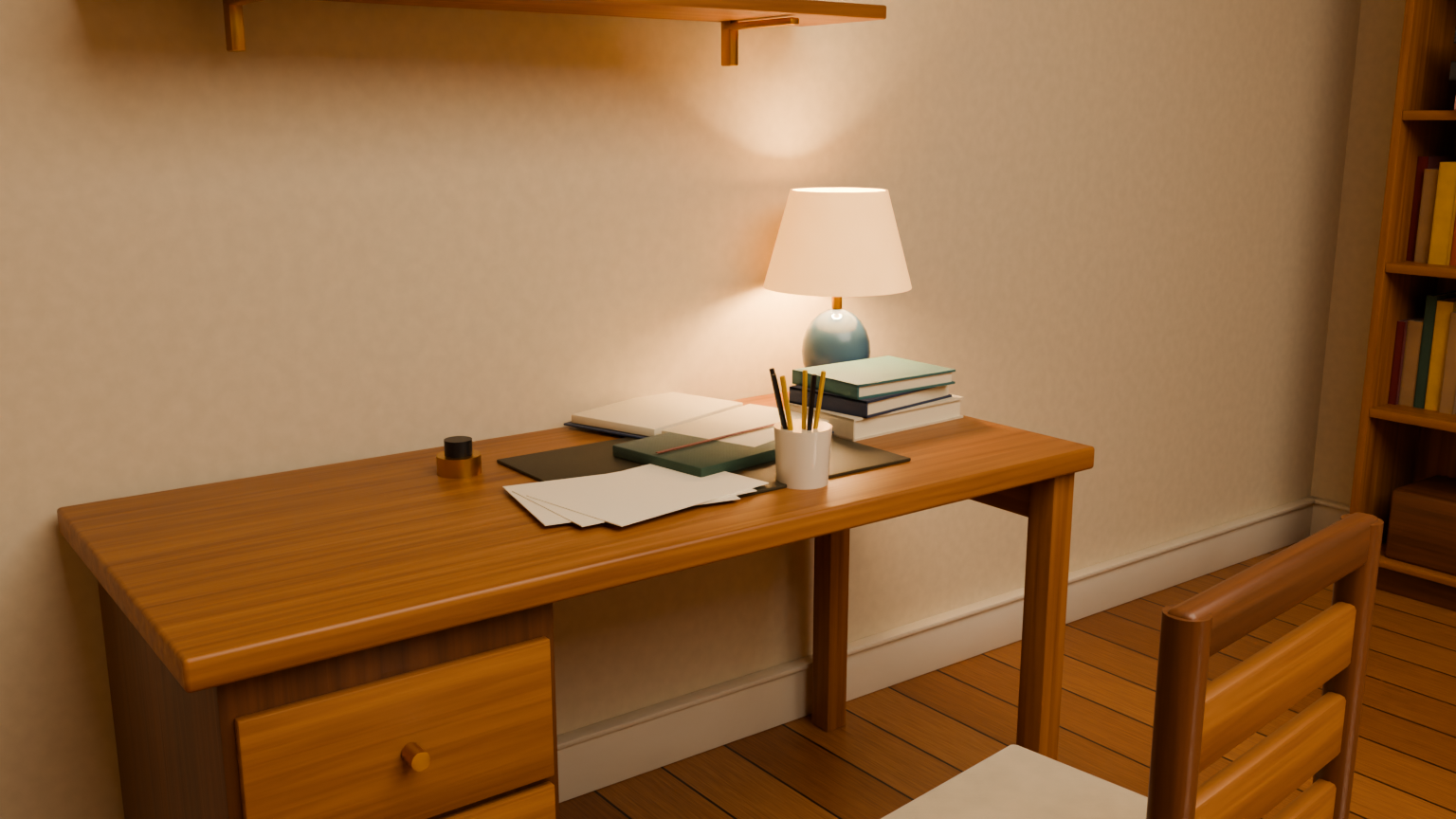
These are HD renders of the saved scene, not live screenshots or a generation timelapse. They use the scene's own cameras and lighting. Inspect secondary areas as well as the hero view, and check supports, intersections, materials, and whether the scene opens correctly.
This is one selected example, not a guarantee of typical quality. The gallery preserves baseline comparisons, failed checks, and mixed visual reviews. A new run can produce a different result. The example scene is separate from the plugin source download on this listing.
hero.png
PNG · 1536×1024
Example file from a real run - the skill writes it into your workspace.
Connects securely to your tools. The creator never sees your data.
About this skill
Your Blender agent, in the tools you already use
Blender Agent Studio is a free, MIT-licensed Blender AI plugin. Describe what you want to make, let your agent build and inspect it in your local Blender installation, and keep the editable .blend file and Python source.
The bundle includes a routing skill, eleven specialist workflows, and a local MCP server. Workflows cover modeling, art direction, rendering, animation, character work, Geometry Nodes, simulation, asset validation, iterative refinement, integration, and benchmarking. Tools support scene inspection, rendering review views, and downloading CC0 textures and HDRIs from Poly Haven. Optional Rust tools add scene-understanding checks.
Bring the agent tools you already use
Codex and Claude Code have bundled plugin installers today. The project aims to keep workflows portable across agent harnesses; other hosts need compatible skill loading and local execution. This download preserves the complete repository layout, including both host manifests, references, and scripts. It is a source bundle, not a prebuilt Blender add-on or standalone desktop application. Importing only SKILL.md does not automatically configure the MCP server. Follow the host installation guide for the complete plugin.
Requirements and cost
Requires Blender, Bun 1.3.5 or newer, and a compatible agent host. Blender 5.2 LTS is the tested version. Rust is only needed for the optional scene-understanding runtime. The plugin is free; your chosen agent or model provider may charge for usage.
Start small, then review the result
Try asking: "Use Blender Agent Studio to build a walnut desk lamp. Give it warm lighting, render it from two angles, and save the .blend and Python source."
See the public gallery for paired examples, including limitations and mixed results. Generated quality depends on the request, model, and review process.
Download version: 0.6.4. License: MIT.
How to use
Skills on Agensi run inside your AI agent. Copy the prompt, paste it into your agent, and it connects to Agensi and installs this skill for you. If a payment is needed, your agent shows it to you first.
Reviews
No reviews yet
Be one of the first to try it. Every listed skill passes our trust checks below.
Security scanned
Passed our 8-point scan before listing
4 installs
Downloaded by developers to date
Free forever
No account required to browse
Trust & safety
Security scanned
Verified clean 10 days ago
- Free to download with an account