More screenshots
Works with the AI Agents you already use
 Claude Code
 Cursor
 Codex CLI
 DeepSeek
 Muse+22 moreClaude CodeCursorCodex CLIDeepSeekMuse
 Dots
 Manus
 Grok
 Grok Bot+18 agents
Amber Confluence – edit self-hosted Confluence with AI
Update any Confluence page hands-free. It changes only what you asked and keeps every macro, table and panel in place. For self-hosted Confluence.
$9.99

Amber Confluence – edit self-hosted Confluence with AI
Example session with this skill installed
Change the support SLA on this page from 4 hours to 2 hours: https://amber.pm/demo/
- Read your context and instructions
- Compiled the amber confluence
Done. Support policy updated: v12 → v13. Only the SLA line changed.
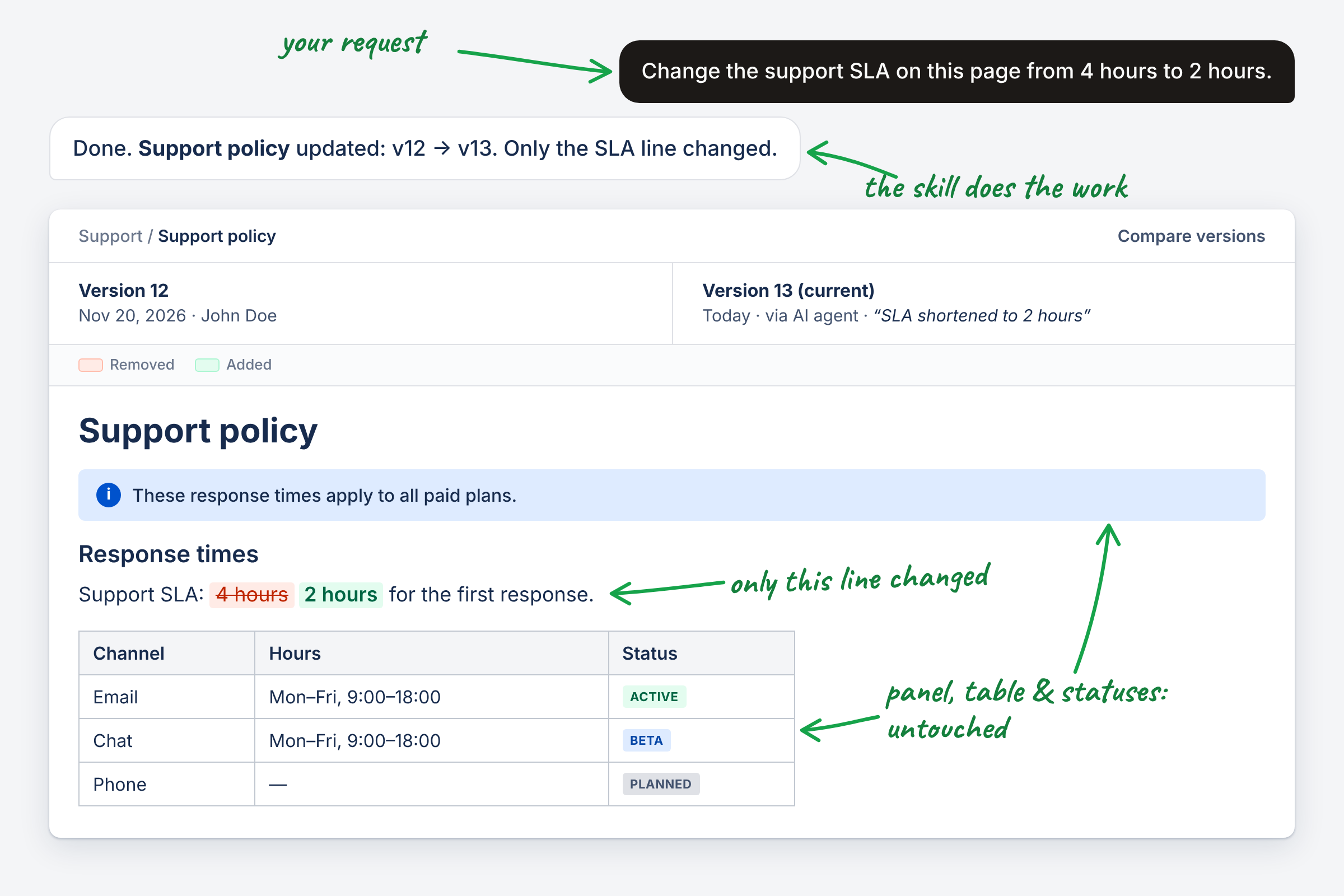
Changed: Support SLA, 4 hours → 2 hours.
Version comment: "SLA shortened to 2 hours"
Kept exactly as it was: the info panel, the table and its status labels.
Connects securely to your tools. The creator never sees your data.
About this skill
Let your AI agent edit Confluence. The formatting stays.
Atlassian's AI tools only work with Confluence Cloud. If your company runs Confluence Server or Data Center, this skill lets your agent read and edit its pages safely.
Ask in plain words. The agent changes only what you asked. Macros, tables, panels and status labels stay exactly as they were.
Ask. It's done.
The change shows up in the page history with a version comment, like any other edit. See the demo page →
Nothing breaks
Expand macros, pivot tables, panels, status labels, attachments, column layouts: whatever the agent did not touch comes back exactly as it was.
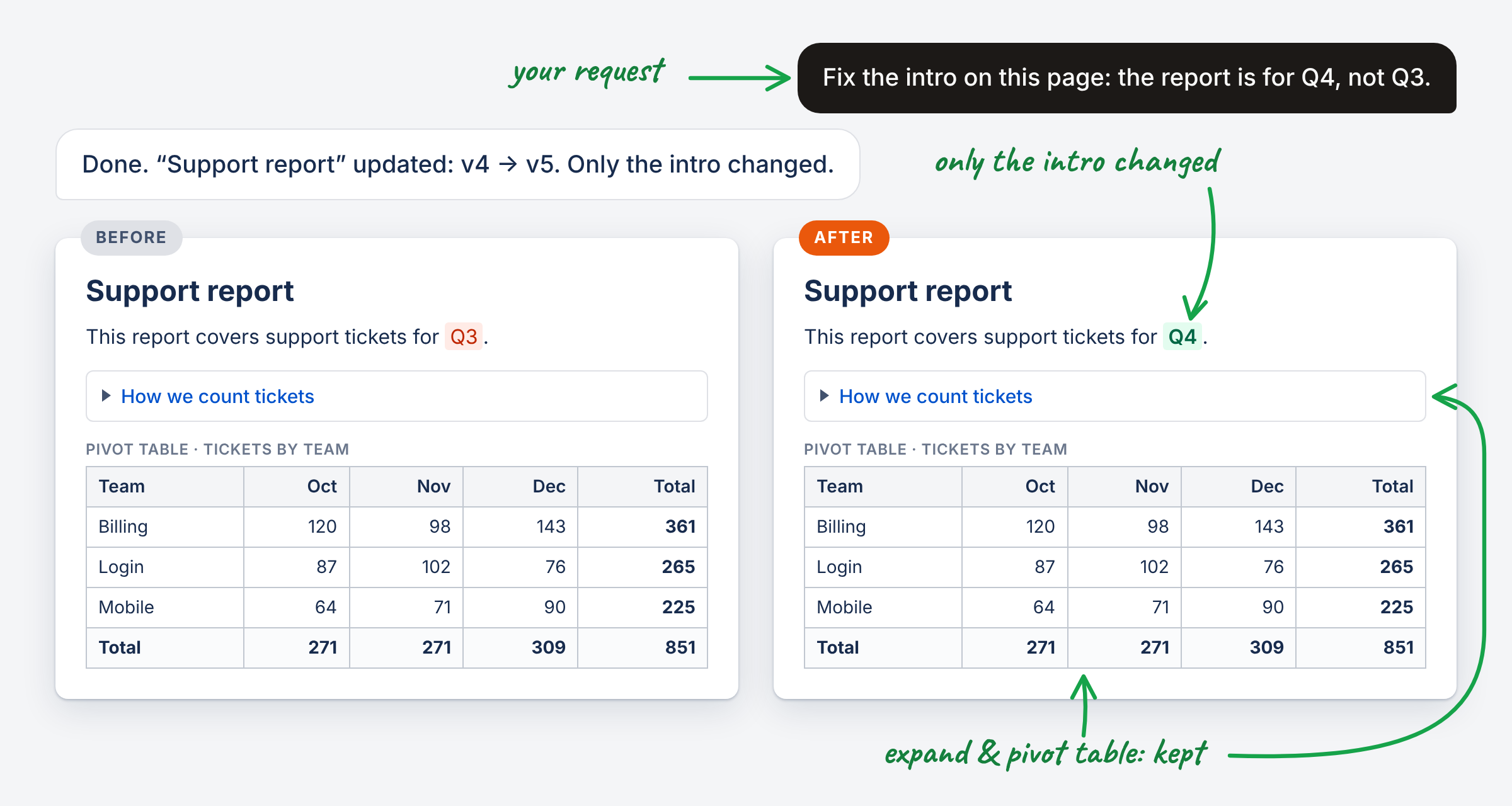
Tested on 76 real pages from public Confluence 9.2 and 10.2 instances: every one came back identical.
Rewrite a whole page with the Humanizer skill
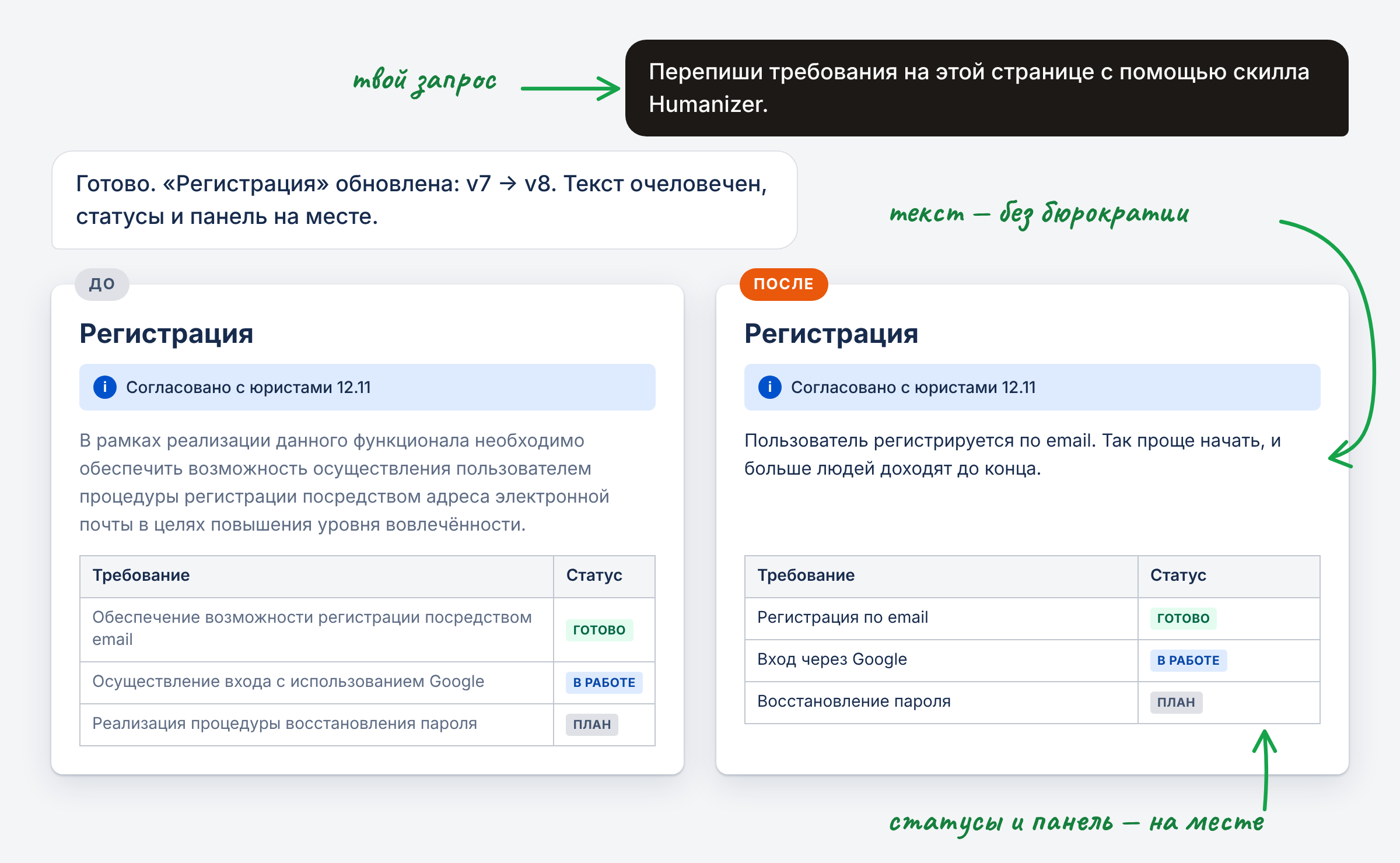
Pair it with the Humanizer skill and your agent turns bureaucratic requirements into plain language. The text changes; the panels, tables and statuses stay.
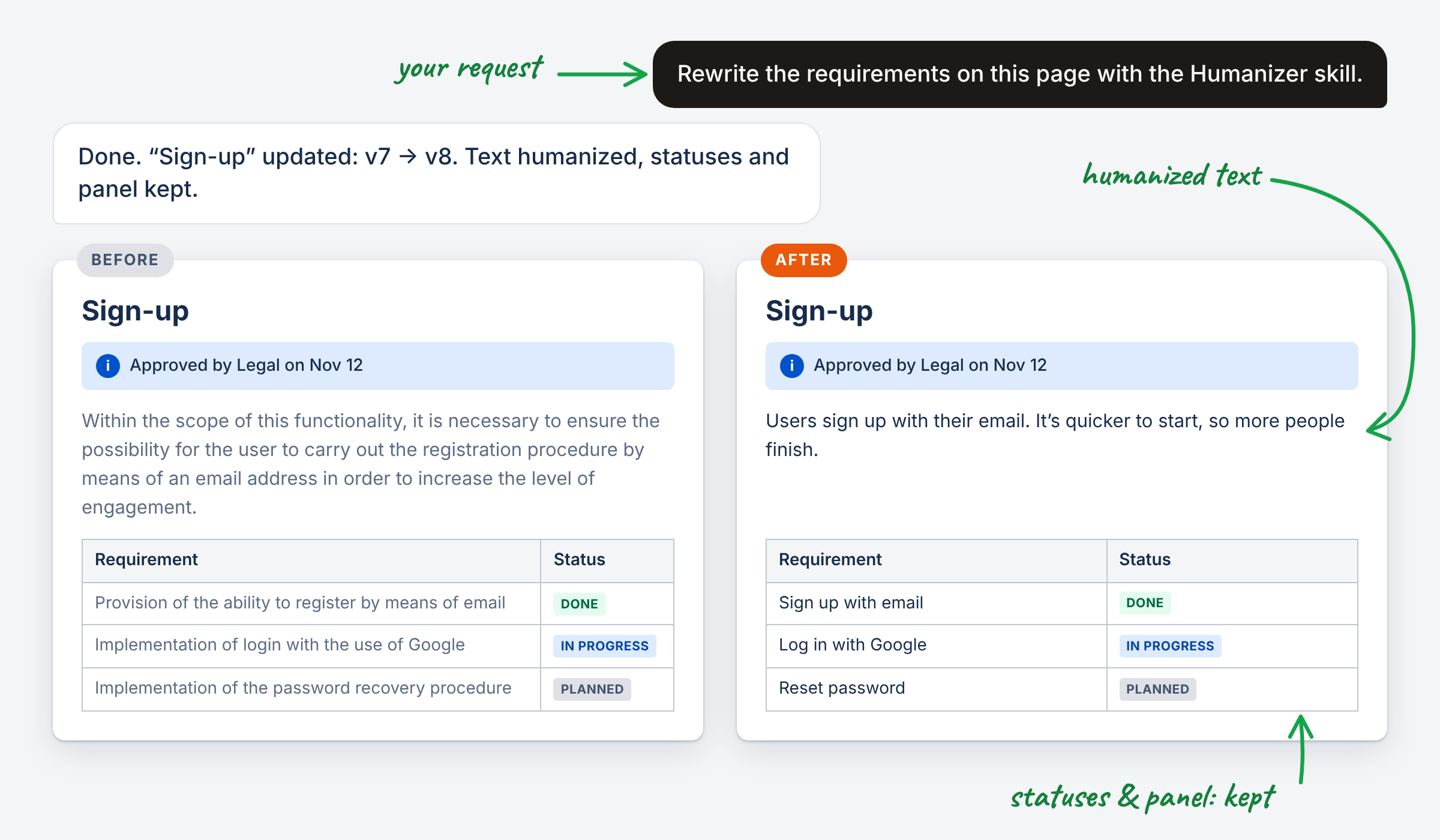
Works in any language:
Your colleagues' work is safe
If someone edited the page while the agent was working, the agent stops, tells you who and when, and reapplies your change on top of theirs. It never overwrites anyone without asking you first.
Built for corporate setups
- Works with company certificates and proxies.
- Personal access tokens (Data Center 7.9+) or a password on older versions.
- Your token stays in the system keychain, never in chat.
- Your pages go only to your own Confluence.
Setup in about 5 minutes
Install the free open-source tool, point it at your wiki, and the skill walks your agent through the rest. Works with Claude Code, Claude Desktop, Cursor, VS Code, Copilot and any agent that runs MCP servers or has a terminal.
Good to know
One existing page at a time: no page trees, new pages or attachment uploads yet. Not for Confluence Cloud.
More: amber.pm · Source on GitHub
Find more skills like this on the Claude Skills Marketplace, the Codex Skills Marketplace and the Gemini Skills Marketplace, or browse Claude Skills for Technical Documentation.
Works on one existing page at a time: it can't create pages, pull whole page trees or upload attachments yet. Confluence Cloud (*.atlassian.net) isn't supported, as Atlassian's own tools cover it. Tables with merged cells or lists inside cells are kept intact but can't be edited. Tested on Confluence 9.2 and 10.2; versions 7.x and 8.x and Windows aren't tested yet.
How to use
- 1
Connect your agent to the Agensi MCP
Copy the prompt and paste it into Claude, ChatGPT, Cursor or any agent that supports MCP. It sets up the connection for you. Manual setup
- 2
Sign in to Agensi
Your agent shows a sign-in link. Sign in and click Allow.
- 3
Ask for what you need
Your agent loads this skill and uses it on your task. It always asks before buying a skill.
Reviews
Trust & safety
Security scan
Security scan passed 2 days ago
- Accounts
GitHub
- Software
- Confluence ServerorData Center
Node.js 18+amber-confluence 0.2.0+ (free, MIT)
Self-hosted Confluence only, not Confluence Cloud. Install with: npm install -g github:amber-tools/confluence-markdown. Needs a personal access token (Data Center 7.9+) or a password on older versions, kept in your OS keychain.
Permissions
Allowed Hosts
File Scopes
The agent talks only to your own Confluence. Credentials are read by the amber-confluence tool from your OS keychain; the skill never asks for them in chat.